If you've just started working with Oracle Real Application Clusters, the first thing that probably threw you off is the sheer number of background processes running that you never saw on a single-instance database. You check the process list on a RAC node and suddenly there's a wall of unfamiliar names — LMON, LMS, LMD, LCK, ACMS, GTX0 — and most tutorials assume you already know what they do before they've bothered explaining any of it.
This guide is written for exactly that moment. No jargon dump, no assumption that you've already read the Oracle documentation cover to cover — just a plain explanation of why RAC needs these extra processes, and what job each one is actually doing while your database is running.
Why Does RAC Even Need Extra Background Processes?
In a normal, single-instance Oracle database, one instance owns the data. It reads blocks into its buffer cache, locks rows when a transaction needs them, and nobody else is fighting over that memory.
RAC changes that picture completely. Now you have two, three, or more instances, each running on a different server, and all of them are reading and writing to the same physical database. That creates a coordination problem single-instance Oracle never had to solve: if Instance 1 has a block sitting in memory and Instance 2 needs to update that exact same row, who decides what happens? How does Instance 2 even know Instance 1 has it? And what happens if Instance 1 crashes mid-transaction?
That coordination — keeping every instance's memory in sync, managing locks across the cluster, and recovering cleanly when a node goes down — is handled by a set of background processes that simply don't exist outside RAC. They're the reason RAC can present multiple servers to an application as if it were one giant database.
Single-Instance vs RAC: What's Actually Different
| Aspect | Single Instance | RAC |
|---|---|---|
| Buffer cache | Owned entirely by one instance | Shared logically across instances via Cache Fusion |
| Locking | Local enqueues only | Global enqueues coordinated by LMD/LMON |
| Block transfer | Not applicable | Blocks shipped instance-to-instance by LMS over the interconnect |
| Failure handling | Instance crash = database down | Surviving instances stay up; LMON drives reconfiguration |
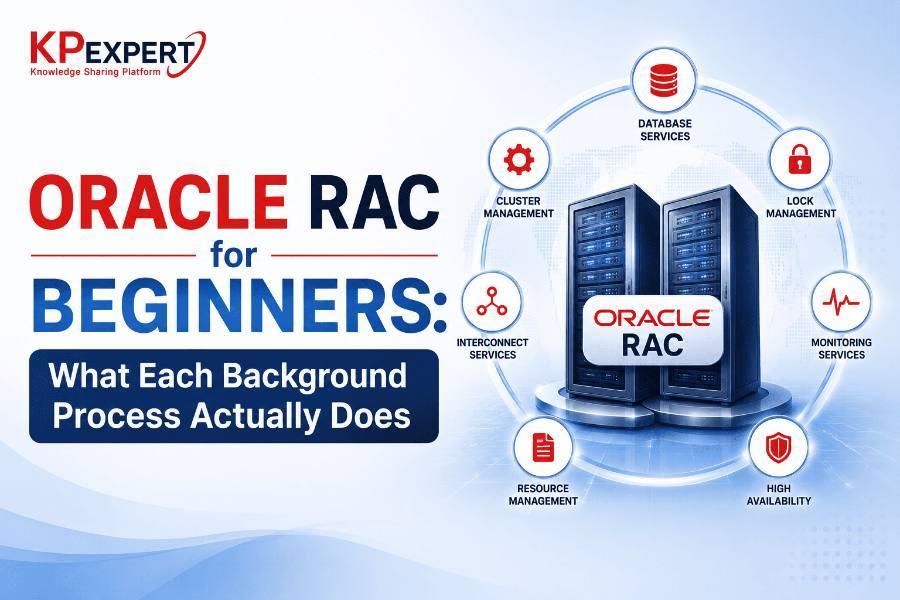
| Extra processes | None of the below | LMON, LMD, LMS, LCK, DIAG, LMHB, ACMS, GTX0, RMSn |
How Cache Fusion Actually Moves a Block
A simplified view of what happens when Instance 2 needs a block that Instance 1 currently has modified in memory:
That memory-to-memory hop instead of a disk read is the whole reason RAC can scale the way it does — and it's why LMS is usually the first place you look when something feels slow across the cluster.
The Core RAC Background Processes
Here's the group you'll run into most often, roughly in the order you'd want to learn them.
LMON — Global Enqueue Service Monitor
Think of LMON as the process that watches the health of the whole cluster from a locking perspective. It tracks which instances are alive and drives cluster reconfiguration — whenever an instance joins or leaves the cluster, LMON is what notices and kicks off the recovery steps needed to keep everything consistent. If a node crashes, LMON figures out what resources that dead instance was holding so the surviving instances can recover instead of hanging.
LMD — Global Enqueue Service Daemon
LMD handles requests for the global enqueues (locks) that span across instances. Whenever one instance wants a resource that might be locked by another instance, LMD manages that request and hands out queue positions fairly — like a traffic officer at an intersection where multiple instances are trying to access the same resource at once.
LMS — Global Cache Service Process
This is arguably the most important RAC-specific process to understand, because it's the one doing the actual data-block shipping between instances through Cache Fusion, shown in the diagram above. LMS ships blocks directly across the private interconnect instead of forcing an instance to read from disk — dramatically faster, and the whole reason RAC scales the way it does. Because it's doing this constantly, high LMS CPU usage or slow interconnect response almost always shows up first as "global cache" wait events.
LCK — Lock Process
LCK manages instance-level locking for resources that aren't handled by the Global Cache Service — things like library cache locks and row cache locks that need cross-instance coordination but don't involve shipping data blocks around. It's quieter than LMS, but still plays its part in keeping shared resources consistent.
DIAG — Diagnosability Daemon
DIAG doesn't touch locking or block transfers at all — its job is to monitor instance health and capture diagnostic data automatically when something goes wrong. If an instance runs into trouble, DIAG dumps trace files and diagnostic data that you, or Oracle Support, will later use to work out what happened. Essentially your black-box recorder.
LMHB — Global Cache Service Heartbeat Monitor
LMHB watches LMON, LMD, and LMS specifically, to make sure they're alive and responding. Since those three are so critical to cluster coordination, Oracle added a dedicated watcher for them — if one hangs, LMHB is what notices and can trigger action before the whole instance gets stuck waiting.
ACMS — Atomic Controlfile to Memory Service
A smaller player, but it solves a real problem: when a distributed transaction spans multiple instances, all of them need to either commit together or not at all. ACMS ensures memory updates tied to these distributed operations happen atomically across the cluster.
GTX0 — Global Transaction Process
GTX0 supports XA-style distributed transactions across RAC instances, coordinating global transaction management when an application needs true distributed-transaction guarantees. You may see multiple GTX0 processes (GTX0, GTX1, and so on) — Oracle spins up more as the workload demands.
RMSn — RAC Management Server
RMSn handles administrative tasks tied to RAC management, like maintaining resources used by server pools and cluster-managed services. More of a background administrative helper than a performance-critical process, but still part of keeping the management layer functioning.
Quick-Reference Table
| Process | Full Name | What It Actually Does |
|---|---|---|
| LMON | Global Enqueue Service Monitor | Watches cluster membership, drives reconfiguration after node join/leave |
| LMD | Global Enqueue Service Daemon | Manages global lock requests between instances |
| LMS | Global Cache Service Process | Ships data blocks between instances (Cache Fusion) |
| LCK | Lock Process | Manages non-Cache-Fusion locks (library cache, row cache) |
| DIAG | Diagnosability Daemon | Captures diagnostic data when issues occur |
| LMHB | GCS Heartbeat Monitor | Watches LMON, LMD, and LMS for hangs |
| ACMS | Atomic Controlfile to Memory Service | Ensures atomic updates for distributed operations |
| GTX0 | Global Transaction Process | Supports distributed (XA) transactions across instances |
| RMSn | RAC Management Server | Handles cluster resource management tasks |
Why This Matters When Something Breaks
Once these names stop being a mystery, RAC troubleshooting gets a lot less intimidating. A few ways this knowledge pays off directly:
Frequently Asked Questions
Do I need to start or stop these processes manually?
No. Oracle manages their lifecycle automatically as part of instance startup and shutdown. As a beginner DBA you'll mostly be observing them, not controlling them directly.
What's the single most important process to understand first?
LMS. It handles Cache Fusion, the block-shipping mechanism that makes RAC work, and it's the process you'll come back to most often when tuning performance.
Are these the same as Oracle Clusterware processes like CSSD or CRSD?
No. The processes covered here run inside the database instance itself. Clusterware processes such as CSSD, CRSD, and OHASD operate at the cluster/OS layer, managing node membership and resource availability rather than database-level cache coordination.
Why do I sometimes see more than one LMS process?
Oracle can start multiple LMS processes per instance based on CPU count and workload, since block-shipping demand scales with cluster activity. More LMS processes generally means more parallel capacity for Cache Fusion transfers.
What should I learn next after this?
Global Cache Service wait events and interconnect monitoring are the natural next step — that's where day-to-day RAC performance tuning actually happens.
Conclusion
None of the processes covered here are things you'll manually manage as a beginner — Oracle handles their lifecycle automatically. But recognizing them in a process list, understanding their role at a conceptual level, and knowing which one to blame when a specific wait event shows up will make RAC feel a lot less like a black box.
Once you're comfortable with this list, a natural next step is digging deeper into Cache Fusion internals and Global Cache Service wait events — that's where the real day-to-day RAC troubleshooting skills come from.