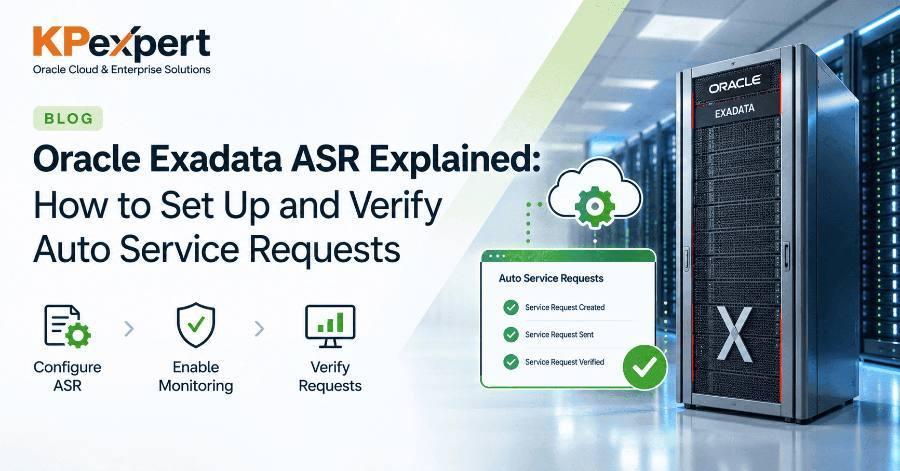
A failed disk or a faulty memory module on an Exadata system should never wait for someone to notice it. Oracle Auto Service Request (ASR) detects specific hardware faults and opens a service request (SR) with Oracle Support automatically, often before your team sees the alert.
For busy DBAs and infrastructure admins, that means faster part replacement, less manual SR logging, and fewer surprises during a 2 a.m. outage call.
In this guide, you will learn:
- What Exadata ASR is and who is entitled to use it
- How ASR works across database servers, storage cells and ASR Manager
- The prerequisites to check before you start
- A step-by-step setup and how to verify it with a test alert
- Common problems, their fixes, and best practices to keep ASR healthy
Oracle Auto Service Request is a secure, built-in support feature that turns qualified hardware faults into Oracle Support service requests without human intervention.
When a covered component fails on an Exadata Database Machine, the system generates a fault telemetry message. ASR sends that message securely to Oracle, which creates an SR against your system's serial number and Customer Support Identifier (CSI). Oracle can then dispatch a field engineer or ship a replacement part.
How ASR Works on Exadata
ASR works as a relay: Exadata components report faults to ASR Manager, and ASR Manager forwards qualified events to Oracle, which opens the SR.
ASR Manager forwards only events from activated assets, so a server you never activated stays invisible to Oracle. That is why activation and My Oracle Support approval matter so much.
What ASR Covers (and What It Does Not)
ASR raises SRs only for a defined set of hardware fault events. Oracle maintains the exact list per product, so check the ASR fault coverage documentation for your Exadata generation.
Most ASR setup problems trace back to a missed prerequisite, so confirm each of these before you install anything:
- Valid hardware support contract covering every Exadata component, linked to a CSI
- My Oracle Support (MOS) account with access to that CSI; a Customer User Administrator (CUA) must be able to approve ASR asset activations
- Serial numbers of all database servers, storage cells and the rack registered under the CSI in MOS
- A server for ASR Manager. Oracle recommends a standalone server outside the Exadata rack running a supported Oracle Linux or Solaris release
- Outbound HTTPS (port 443) from the ASR Manager server to Oracle's ASR transport endpoints, directly or through a proxy
- Inbound connectivity from Exadata database servers, storage cells and ILOMs to ASR Manager on the SNMP and HTTP ports your ASR version uses
- Hostnames and IP addresses of every ILOM, database server and storage cell
- A technical contact email that someone actually monitors
The setup has five stages: install ASR Manager, register it, point Exadata at it, activate the assets, and approve them in My Oracle Support. Command syntax changes between ASR Manager and Exadata software releases, so treat these examples as a guide and confirm them against the documentation for your versions.
Step 1: Install ASR Manager
Download the current ASR Manager package from My Oracle Support and install it on your standalone server by following the installation guide that ships with it. Keep ASR Manager on a supported version; old releases can lose the ability to talk to Oracle's transport servers.
Step 2: Register ASR Manager with Oracle
Registration links ASR Manager to your MOS account so it can send telemetry. Run the registration as root and enter your MOS credentials and any proxy details when prompted:
asr register
asr show_reg_status
asr test_connection
A successful test_connection confirms that ASR Manager can reach Oracle over HTTPS.
Step 3: Point Exadata Servers and Cells at ASR Manager
Each storage cell and database server must send its fault events to ASR Manager. You do this by adding ASR Manager as an SNMP subscriber with type=ASR.
cellcli -e "ALTER CELL snmpSubscriber=((host='asrmgr.example.com',port=162,community='public',type=ASR,asrmPort=16161))"
dbmcli -e "ALTER DBSERVER snmpSubscriber=((host='asrmgr.example.com',port=162,community='public',type=ASR,asrmPort=16161))"
ALTER ... snmpSubscriber replaces the whole subscriber list. If you already send traps to another monitoring tool, include that subscriber in the same command or you will silently remove it. Check the current list first with LIST CELL ATTRIBUTES snmpSubscriber or LIST DBSERVER ATTRIBUTES snmpSubscriber.Use dcli to run the same command across all cells or all database servers at once.
Step 4: Activate the Exadata Assets in ASR Manager
Activation tells ASR Manager which systems it is responsible for. Depending on your ASR Manager release, you activate each server by its ILOM address, or use the Exadata-specific command that takes the host IP, hostname and ILOM IP together:
asr activate_asset -i <ilom_ip>
asr activate_exadata -i <host_ip> -h <hostname> -l <ilom_ip>
asr list_asset
list_asset should show every database server and storage cell you expect.
Step 5: Approve the Activations in My Oracle Support
Every new ASR asset sits in a pending state until someone with CUA rights approves it. In My Oracle Support, open the pending ASR activations page, review each asset, confirm the contact and installation address, and approve it.
Never assume ASR works because the setup commands succeeded. Send a test alert from every component and confirm the result end to end.
Send a Test Alert
Exadata can generate an ASR test event without a real fault:
cellcli -e "ALTER CELL VALIDATE SNMP TYPE=ASR"
dbmcli -e "ALTER DBSERVER VALIDATE SNMP TYPE=ASR"
Confirm the Result End to End
asr list_assetWhen ASR fails, the cause is almost always one of these. Work through them in order, from Oracle's side back to the Exadata components.
test_connection failsasr register with an account linked to the correct CSIlist_assetIf the problem persists, collect the ASR Manager logs and the asrexacheck output and open a manual SR. Mention that the issue is with ASR itself.
Best Practices to Keep ASR Healthy
- Re-test after every change — Exadata patching, upgrades, IP changes or ASR Manager upgrades
- Test on a schedule — a quarterly test across all servers and cells catches silent breakage early
- Keep ASR Manager current so it stays compatible with Oracle's transport servers
- Use a shared contact address — a team mailbox, not one person's inbox
- Document your SNMP subscribers per server so nobody overwrites them by mistake
- Watch contract renewals — an expired contract quietly stops ASR from opening SRs
- Run asrexacheck periodically alongside exachk as part of routine health checks
Is Oracle ASR free?
Yes. There is no separate charge. It is included with a valid Oracle hardware support contract for covered systems.
Does ASR send my database data to Oracle?
No. ASR sends hardware fault telemetry, such as the component, fault code and serial number. It does not send database contents.
Can I install ASR Manager on an Exadata database server?
Oracle recommends a standalone server outside the rack. A separate server keeps ASR working even when an Exadata server is down or being patched.
How do I know ASR opened an SR?
The registered contact receives an email, and the SR appears in My Oracle Support under your CSI.
Does ASR replace Oracle Enterprise Manager or other monitoring?
No. ASR handles covered hardware faults only. You still need monitoring for database health, performance and capacity.
What is the difference between ASR and Oracle Platinum Services?
ASR is a hardware fault reporting feature. Platinum Services was a broader support offering for qualified engineered systems that included remote monitoring and patching. Check with Oracle for what applies to your current contract.
Oracle Exadata ASR is one of the simplest ways to cut hardware downtime on Exadata, and it costs nothing extra if your support contract is active. Install ASR Manager on a standalone server, register it, point your cells and database servers at it, activate and approve the assets, then prove it works with a test alert. After that, discipline keeps it working: re-test after every patch or network change and keep ASR Manager current.
Recap: what to take away
- ASR opens Oracle SRs automatically for covered Exadata hardware faults, at no extra cost with a valid support contract
- Run ASR Manager on a standalone server with outbound HTTPS (port 443) to Oracle
- Add ASR Manager as a
type=ASRSNMP subscriber without overwriting existing subscribers - No asset is covered until it is activated and approved in My Oracle Support
- Test with VALIDATE SNMP after setup and after every patch or network change
Want more hands-on guides? KP Expert publishes practical, step-by-step guides for infrastructure and certification professionals. Explore KP Expert.