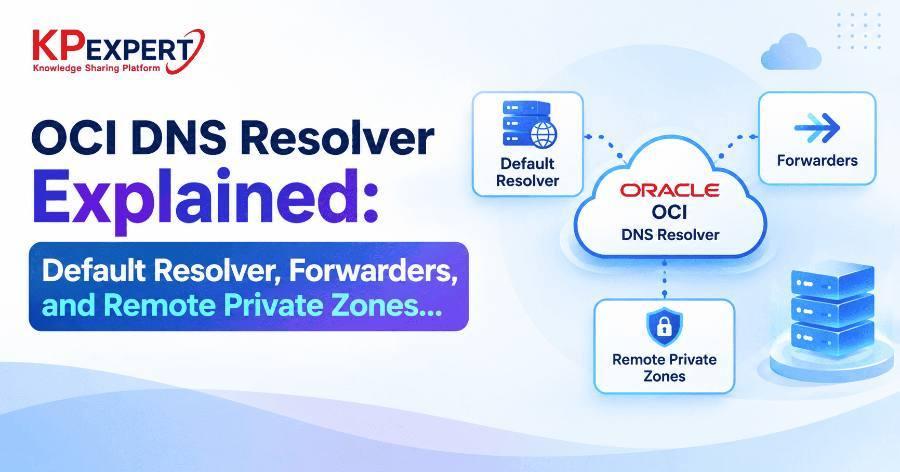
OCI DNS Resolver Explained: Default Resolver, Forwarders, and Remote Private Zones
The moment you create a VCN in Oracle Cloud Infrastructure, it already has a working DNS resolver — instances can resolve public names, OCI-internal hostnames, and any private zones you've attached, with zero configuration. The complexity shows up the moment a second VCN, or an on-premises network, needs to resolve names that live somewhere else. At that point you're choosing between forwarding queries to another DNS server, or making a zone owned by one VCN directly resolvable from another — and mixing these two mechanisms up is a common source of "it resolves from here but not from there" bugs.
This post walks through the default resolver, forwarders, and remote private zones — what each one actually does, and how to configure them correctly.
Before touching the console or CLI, it's worth being precise about what each term covers, because they solve genuinely different problems:
Every instance in a VCN is pre-configured via DHCP to send DNS queries to the reserved address 169.254.169.254 — the VCN's default resolver. You can confirm this from any instance:
dig app.internal.example.com @169.254.169.254

cat /etc/resolv.conf
# nameserver 169.254.169.254
No zone, view, or resolver configuration is required for this to work for public names, Oracle-provided internal DNS, and any private zone already attached to the VCN's default view.
To resolve a domain hosted on-premises or by a third-party DNS server, create a forwarding endpoint in the VCN that needs the lookup:
oci dns resolver-endpoint create \
  --resolver-id "ocid1.dnsresolver.oc1...." \
  --name "fwd-onprem" \
  --endpoint-type VNIC \
  --is-forwarding true \
  --is-listening false \
  --subnet-id "ocid1.subnet.oc1...." \
  --forwarding-address "10.0.2.6"
Then add a forward rule telling the resolver which domain pattern to send there:
oci dns resolver update \
  --resolver-id "ocid1.dnsresolver.oc1...." \
  --rules '[
    {
      "action": "FORWARD",
      "clientAddressConditions": [],
      "qnameCoverConditions": ["corp.example.com"],
      "destinationAddresses": ["10.100.0.10"],
      "forwardingEndpointId": "ocid1.dnsresolverendpoint.oc1...."
    }
  ]'
This means: any query for a name under corp.example.com gets sent to 10.100.0.10 — the on-prem DNS server — instead of being answered locally or sent to the internet. If you also need on-prem clients to resolve OCI-hosted zones, you'll pair this with a listener on the OCI side, covered next as part of remote private zones.
Peering or DRG connectivity between two VCNs grants network reachability — it does not grant DNS resolvability. A private zone created in VCN-A's view stays invisible to VCN-B's resolver until you do one of the following.
Option A — Attach the Same View Directly
Simplest for a small number of VCNs — attach VCN-A's view to VCN-B's resolver too:
oci dns resolver update \
  --resolver-id "ocid1.dnsresolver.oc1.vcnb...." \
  --attached-views '[{"viewId":"ocid1.dnsview.oc1.vcna...."}]'
No zone data is duplicated — VCN-B's resolver now checks the same view VCN-A already uses. This works well for a handful of VCNs but doesn't scale cleanly: every new VCN needs every relevant view attached by hand.
Option B — Listener on the Owning VCN, Forwarder on the Consumer
Instead of sharing the view, let the two resolvers talk to each other over the network. On VCN-A (the zone owner), deploy a listener:
oci dns resolver-endpoint create \
  --resolver-id "ocid1.dnsresolver.oc1.vcna...." \
  --name "lsn-vcn-a" \
  --endpoint-type VNIC \
  --is-forwarding false \
  --is-listening true \
  --subnet-id "ocid1.subnet.oc1.vcna...." \
  --listening-address "10.0.1.6"
Then on VCN-B, deploy a forwarder and rule pointing at that listener IP, using the same forwarder pattern from Step 2 — just with the destination address set to VCN-A's listener instead of an on-prem DNS server.
For more than a couple of VCNs, attaching every view to every resolver directly becomes unmanageable. The pattern that scales is designating one VCN as a DNS hub:
- The hub VCN's resolver has every relevant private view attached — giving it visibility into every private zone in the region.
- The hub runs both a listener (so spokes and on-premises networks can query it) and a forwarder (so it can reach external DNS for anything it doesn't own).
- Every spoke VCN runs only a forwarder, with a rule pointing at the hub's listener.
This collapses what would otherwise be N×N view attachments into a single hub resolver holding all the views, with spokes doing one forwarding hop. It also gives you a single place to manage forwarding rules for on-premises domains, instead of repeating that configuration on every VCN.
DNS design in Oracle OCI follows the same hub-and-spoke thinking that governs routing and security architecture at scale: a small environment can get away with the default resolver plus a couple of direct view attachments, but anything expecting to grow — multiple business units, hybrid on-premises connectivity, multi-VCN landing zones — benefits from planning the forwarder/listener/hub topology early, rather than retrofitting it once a tangle of point-to-point view attachments has already accumulated.
Recap: what to take away
- Every VCN gets a default resolver automatically — public DNS, OCI-internal hostnames, and attached-view zones resolve with zero configuration.
- Forwarders (endpoint + rule) send matching queries outward to a DNS server you don't control — on-prem, another cloud, or another resolver's listener.
- A remote private zone isn't a resource type — it's achieved by attaching a shared view directly, or by pairing a listener on the owning VCN with a forwarder on the consuming VCN.
- A hub VCN with all views attached, running both a listener and a forwarder, collapses N×N view sprawl into a single forwarding hop for spokes.