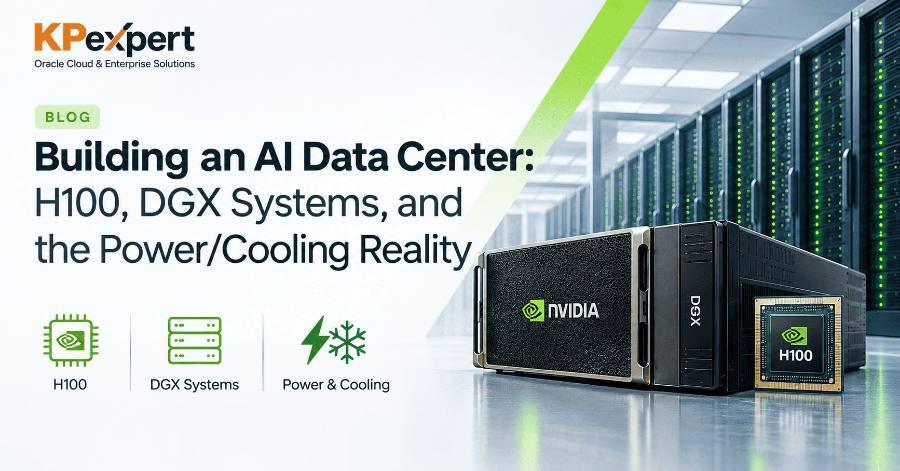
Buying GPUs is the easy part. The harder question — the one that actually determines whether an AI infrastructure project succeeds — is whether your facility can deliver enough power and remove enough heat to run them. This guide walks through the hardware (H100, Grace Hopper, DGX systems), the systems they ship in, and the power and cooling planning that IT teams consistently underestimate.
The H100 is built on NVIDIA's Hopper architecture, the direct successor to Ampere (the A100 generation). Four features define what Hopper actually adds:
The Transformer Engine is the headline feature for AI workloads specifically. It dynamically mixes FP8 and FP16 precision to accelerate the exact matrix operations that make up a transformer layer — query/key/value projections, attention score computation, and the feed-forward network — without the accuracy loss you'd expect from a blanket precision drop.
The H100 doesn't come in just one shape. The two most common variants have meaningfully different specs, and mixing them up in a procurement conversation is an easy, expensive mistake:
SXM is the higher-power, higher-bandwidth option built into systems like the DGX H100. NVL is actually two H100 GPUs networked together via PCIe and NVLink, delivering a larger combined memory pool (188GB) — it's the option built for organizations retrofitting existing PCIe-based servers rather than buying a purpose-built SXM system.
For workloads that need both fast general-purpose compute and massive parallel throughput in one tightly coupled package, NVIDIA offers the Grace Hopper Superchip (GH200) — not a GPU on its own, but a module pairing an Arm-based Grace CPU with a Hopper GPU.
The key detail is the connection between them: NVLink-C2C, a high-bandwidth, low-latency link that lets the CPU and GPU share memory coherently, instead of communicating over a comparatively slow PCIe bus. For workloads with heavy CPU-side preprocessing (tokenization, data validation) feeding directly into GPU compute, that tight coupling removes a bottleneck that a conventional CPU+GPU server pairing can't avoid.
Most organizations don't buy H100 GPUs individually — they buy DGX systems, NVIDIA's fully integrated servers built around them. Here's what's actually inside a DGX H100:
The DGX H200 follows the same basic architecture — 8x GPUs (H200 instead of H100), 4x NVSwitches, 10x ConnectX-7 networking, dual Intel Xeon Platinum 8480C CPUs — but adds 30TB of NVMe SSD storage and the H200's larger memory capacity, aimed at the same class of large-model training and inference workloads with more headroom for bigger datasets.
Scaling beyond one system: DGX SuperPod
When one DGX system isn't enough, NVIDIA's DGX SuperPod architecture combines multiple DGX systems with InfiniBand and Ethernet networking, dedicated management nodes, and shared storage into a single coordinated cluster. These are organized into Scalable Units (SUs) — repeatable building blocks that let a data center grow from one rack to a full SuperPod without redesigning the networking topology each time. The InfiniBand fabric uses GPUDirect RDMA to keep GPU-to-GPU communication low-latency even across separate physical racks.
Thermal Design Power (TDP) is the specification that tells you the maximum heat a component can generate under load, measured in watts. It's effectively the number your cooling system has to be able to remove to keep the hardware within safe operating temperature. An H100 SXM's 700W TDP isn't just a power-draw number — it's a cooling-capacity requirement.
Here's where a lot of infrastructure planning goes wrong: teams budget for GPU cost and power draw, but don't work through the actual rack math before committing to a facility layout.
In practice, most deployments use 8-GPU servers (the DGX H100 baseline) with 1–2 servers per rack, landing at 8–16 GPUs per rack rather than the theoretical maximum — and you should always plan with roughly 30% overhead for cooling and power distribution equipment on top of the raw compute math.
At 700W per GPU, air cooling stops being a realistic option for most H100-class deployments. Liquid cooling becomes preferred, and often the only viable choice.
The scale of the shift is worth internalizing: in 2011, the average data center rack consumed around 2.4kW. A modern AI rack today can consume 300kW or more — and industry forecasts put 2029 rack density at 1,000kW-plus. That's roughly a 125x increase in less than two decades, and it's the single biggest reason legacy data center facilities can't simply "add some GPU servers" without a serious cooling redesign.
For reference, direct liquid cooling systems used in dense deployments (like NVIDIA's GB200 NVL72 racks) hold coolant temperatures around 4°C, circulating at roughly 1,600–1,800 liters per minute across primary and secondary loops — genuinely industrial-scale plumbing, not a repurposed PC watercooling loop.
Power Usage Effectiveness (PUE)
One more number worth knowing when evaluating a facility or colocation provider: PUE (Power Usage Effectiveness), the ratio of total facility power draw to the power actually used by computing equipment. An ideal PUE is 1.0 — every watt going to compute, none to overhead. In practice:
A facility with a PUE of 1.8 needs 1.8 watts of total power for every 1 watt actually reaching your GPUs — the rest goes to cooling, lighting, and other facility overhead. That difference compounds fast at data-center scale, and it's a legitimate question to ask any colocation provider during procurement.
Once the hardware is racked, powered, and cooled, a separate layer of software handles provisioning, orchestration, and monitoring across the cluster:
DCGM in particular is worth knowing at a practical level: its diagnostic levels range from Level 1 (a quick readiness check) through Level 2 (run automatically after a failure) up to Levels 3 and 4, which are administrator-run, more invasive post-mortem diagnostics. When a GPU node in a cluster starts misbehaving, DCGM's tiered diagnostics are usually the first stop before escalating to hardware replacement.
Recap: what to take away
- H100 SXM and H100 NVL are meaningfully different products — different TDP, bandwidth, and memory — not just packaging variants of the same spec sheet.
- A DGX H100 is a fully integrated $300K–450K+ system, not just 8 GPUs — the networking, CPU tier, and NVSwitch fabric are just as much a part of the purchase.
- Power planning is rack math, not just a total budget line: work out kW per rack before committing to a facility, and always add ~30% overhead.
- Liquid cooling solves a heat-removal problem, not a power-consumption one — it doesn't reduce how much electricity your GPUs draw.
- PUE tells you how much facility overhead sits on top of your actual compute power draw — worth asking any colocation provider directly.