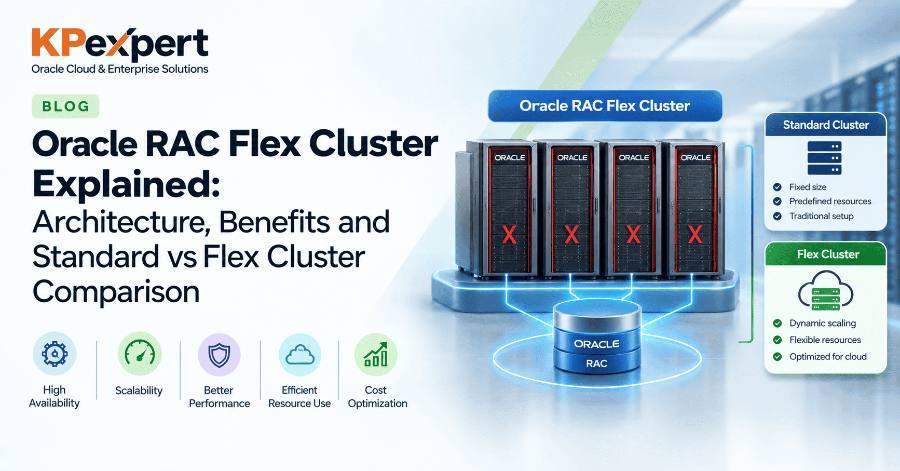
Oracle Flex Cluster is a cluster architecture, introduced in Oracle Grid Infrastructure 12c Release 1, that splits cluster nodes into two roles: Hub nodes and Leaf nodes.
Hub nodes are tightly connected, access shared storage directly and run Oracle RAC database instances. Leaf nodes are loosely connected, attach to a single Hub node and were designed to run application workloads.
In this guide, you will learn:
- What Flex Cluster is and why Oracle introduced it
- How Hub nodes, Leaf nodes, Flex ASM and GNS fit together
- How Standard and Flex Clusters differ
- The commands to check cluster mode and node roles
- How to convert a Standard Cluster to a Flex Cluster, step by step
- Benefits, limitations, version changes and interview questions
Flex Cluster was built to remove the scaling limits of the Standard Cluster. In a Standard Cluster, every node must access shared storage and exchange heartbeats with every other node over the private interconnect.
This full-mesh design causes three problems as clusters grow:
- Interconnect traffic grows fast — with N nodes there are N × (N − 1) / 2 links. A 4-node cluster has 6 links; a 32-node cluster has 496.
- Every node needs shared storage — adding a node means extra SAN zoning, storage paths and voting disk access, even if it only runs applications.
- Reconfiguration is costly — when any node joins or fails, the whole cluster reconfigures, and larger clusters take longer.
Flex Cluster keeps the full mesh only among a small set of Hub nodes. Leaf nodes talk to just one Hub node and need no shared storage at all.
A Flex Cluster has two tiers of nodes held together by four components.
Flex Cluster routes all Leaf node activity through Hub nodes, so only Hub nodes carry the cost of full cluster membership.
- Startup — a Leaf node starts Oracle Clusterware and uses GNS to discover the available Hub nodes.
- Attachment — the Leaf node connects to one Hub node over the private network and exchanges heartbeats only with that Hub.
- Cluster membership — the Hub node relays the Leaf node's status to the cluster. Leaf nodes never access voting disks or the OCR directly.
- Storage access — database instances on Hub nodes use shared storage through Flex ASM. Leaf nodes do not need shared storage.
- Hub node failure — its Leaf nodes reconnect to a surviving Hub node automatically.
- Leaf node failure — only resources on that Leaf are affected; Hub nodes are not evicted and no full reconfiguration happens.
Resources on Leaf nodes, such as application VIPs or custom application resources, are managed by the same Clusterware stack, so applications can fail over between Leaf nodes just like database services fail over between Hub nodes.
A Standard Cluster treats every node the same; a Flex Cluster splits nodes into Hub and Leaf roles.
Prerequisites
Have these in place before you configure or convert to a Flex Cluster:
- Oracle Grid Infrastructure 12c or later — Flex Cluster does not exist in 11g
- Flex ASM enabled — Flex Cluster requires it; Flex ASM can run without Flex Cluster, but not the other way round
- Grid Naming Service (GNS) with a fixed VIP — Leaf nodes use GNS to find Hub nodes
- Network planning — Hub nodes need public network, private interconnect and shared storage; Leaf nodes need public and private networks only
Use crsctl and asmcmd to see whether your cluster is Standard or Flex and what role each node has.
Check the Current Cluster Mode
crsctl get cluster mode status

# Sample output
Cluster is running in "flex" mode
Check the Configured Cluster Mode
crsctl get cluster mode config
Check Whether Flex ASM Is Enabled
asmcmd showclustermode
Check Node Roles
crsctl get node role config
crsctl get node role status -all
olsnodes -s -t -a
Change a Node's Role
crsctl set node role hub
crsctl set node role leaf
Restart Oracle Clusterware on that node after changing its role.
Converting takes one crsctl command plus a Clusterware restart on each node, but GNS and Flex ASM must be ready first.
Step 1: Back Up the OCR
ocrconfig -manualbackup
Step 2: Confirm the Current Mode
crsctl get cluster mode status
Step 3: Enable Flex ASM If Needed
Check with asmcmd showclustermode. If Flex ASM is not enabled, run asmca, choose Convert to Oracle Flex ASM, and run the generated script as root.
Step 4: Configure GNS with a Fixed VIP
Skip this step if GNS already exists.
srvctl add gns -vip <gns_vip_address> -domain <gns_subdomain>
srvctl start gns
Step 5: Set the Cluster Mode to Flex
crsctl set cluster mode flex
Step 6: Restart Clusterware on Every Node
Do this one node at a time, so the database stays available on the other nodes:
crsctl stop crs
crsctl start crs -wait
Step 7: Verify the New Mode
crsctl get cluster mode status
Step 8: Assign Leaf Roles If Required
All existing nodes become Hub nodes. To make a node a Leaf, run crsctl set node role leaf as root on that node and restart Clusterware there.
Benefits
- Larger clusters — up to 2,000 nodes in one cluster
- Less interconnect traffic — full-mesh heartbeats run only among Hub nodes
- Simpler storage — Leaf nodes need no SAN connection
- Single management layer — database and application tiers under one Clusterware stack
- Application high availability — Leaf resources fail over like database services
- Faster reconfiguration — a Leaf failure does not force a full cluster reconfiguration
Limitations
- More components — GNS and Flex ASM are mandatory
- One-way conversion — no return to a Standard Cluster
- No database instances on Leaf nodes in 12.1 — read-only instances on Leaf nodes arrived in 12c Release 2
- Leaf nodes are deprecated — deprecated from Grid Infrastructure 18c, so new designs should not depend on them
Flex Cluster is still the cluster architecture in 19c, but Leaf nodes are deprecated, so modern clusters run Hub nodes only.
crsctl get cluster mode status will confirm it. Plan new deployments with Hub nodes only.Q1. What is an Oracle Flex Cluster?
A cluster architecture from Grid Infrastructure 12c that divides nodes into Hub nodes (database tier) and Leaf nodes (application tier).
Q2. What is the difference between a Hub node and a Leaf node?
Hub nodes access shared storage, voting disks and OCR directly and run database instances. Leaf nodes connect to one Hub node and need no shared storage.
Q3. Is Flex ASM mandatory for Flex Cluster?
Yes. Flex Cluster requires Flex ASM, though Flex ASM can be used in a Standard Cluster.
Q4. Why is GNS required?
Leaf nodes use GNS to discover and connect to Hub nodes.
Q5. What is the maximum size of a Flex Cluster?
Up to 64 Hub nodes and up to 2,000 nodes in total.
Q6. How do you convert a Standard Cluster to Flex?
Enable Flex ASM and GNS, run crsctl set cluster mode flex as root, then restart Clusterware on each node.
Q7. Can you convert a Flex Cluster back to Standard?
No. The conversion is one-way.
Q8. What happens when a Hub node fails?
Its Leaf nodes reconnect to another Hub node automatically.
Q9. Can Leaf nodes run database instances?
Not in 12c Release 1. From 12c Release 2, Leaf nodes can run read-only database instances.
Q10. Do Leaf nodes access voting disks?
No. They take part in cluster membership through their Hub node.
Q11. Are Leaf nodes supported in 19c?
They were deprecated from 18c, so they should not be used in new 19c designs.
Is Flex Cluster the same as Flex ASM?
No. Flex Cluster defines node roles in the cluster. Flex ASM lets database instances use ASM instances on other nodes. Flex Cluster needs Flex ASM, but they are separate features.
Is Oracle RAC One Node a Flex Cluster?
No. RAC One Node is a database configuration with one active instance. It can run on either a Standard or a Flex Cluster.
Do I need a Flex Cluster for a 2-node RAC?
Not for scaling. From 12c Release 2, new clusters are Flex by default, so a 2-node cluster usually runs in Flex mode with Hub nodes only.
Does Flex Cluster need extra licensing?
Flex Cluster is part of Oracle Grid Infrastructure. Database licensing still follows your Oracle RAC and Enterprise Edition terms, so confirm with your Oracle licensing contact.
What is the difference between Flex Cluster and Extended Cluster?
An Extended (stretch) Cluster spreads nodes across sites for disaster protection. Flex Cluster is about node roles and scale.
How do I know which nodes are Hub and which are Leaf?
Run crsctl get node role status -all or olsnodes -a.
Oracle RAC Flex Cluster changed how Oracle clusters scale by splitting nodes into Hub and Leaf roles, cutting interconnect traffic and removing the need for shared storage on application nodes. Leaf nodes have since been deprecated, but Flex Cluster itself is the default architecture from 12c Release 2, so every RAC DBA on 19c is already running one.
Recap: what to take away
- Flex Cluster splits nodes into Hub nodes (database tier) and Leaf nodes (application tier)
- Only Hub nodes access shared storage, voting disks and OCR
- Flex ASM and GNS with a fixed VIP are mandatory
- Check the mode with
crsctl get cluster mode status; convert withcrsctl set cluster mode flex— one way only - Flex is the default from 12c Release 2; Leaf nodes are deprecated from 18c
Want more hands-on guides? KP Expert publishes practical, step-by-step guides for infrastructure and certification professionals. Explore KP Expert.