A developer asks for a fresh copy of the 8 TB production PDB. By Friday, please. On a classic ASM-based Exadata, you know how that goes: find the space, kick off the clone, wait, and then watch the DATA disk group shrink by another 8 TB for a database that will be thrown away in two weeks.
Now imagine the same request taking a few minutes and using almost no extra space. That's the promise of Exadata Exascale, and it's why a lot of DBAs see it as the biggest change to Oracle Exadata storage in years.
If you've managed ASM disk groups for a long time, Exascale can feel strange at first. New words show up everywhere: storage pools, vaults, pool disks, thin clones, volumes. This guide walks through each one in plain language, compares it with the ASM world you already know, and shows a few real commands so it doesn't stay abstract.
The short version: Exascale is a new way to manage storage on Exadata. It sits next to ASM rather than simply replacing it overnight.
Oracle launched it in 2024, first for on-premises Exadata Database Machines, and then brought it to the cloud. Under the hood, it changes who owns the storage. With ASM, each Grid Infrastructure cluster manages its own disk groups. With Exascale, storage management moves into the storage servers themselves, and the database kernel talks to Exascale storage structures directly.
Why should you care? Three practical reasons:
- Storage becomes a shared pool. Many clusters can draw from the same capacity, instead of each one guarding its own slice.
- Clones become cheap. Thin clones of databases and PDBs take seconds to create and only use space for the blocks that change.
- Database servers get lighter. Work that used to run on the compute side, like ASM, moves to the storage servers. Even VM images can live on shared Exascale storage instead of local disks.
You keep the parts of Exadata people actually buy it for, such as Smart Scan, Smart Flash Cache and RDMA. Exascale changes how storage is organised, not the Exadata intelligence underneath.
To be clear, ASM isn't broken. It has run some of the world's biggest Oracle databases for more than twenty years. But it was designed for a time when one cluster owned one set of disks, and that shows on modern Exadata.
Picture a typical consolidated Exadata with four VM clusters. Each cluster gets its own grid disks and its own DATA and RECO disk groups. Cluster A is 90% full; cluster B sits at 30%. You can't just lend B's free space to A. You resize grid disks, rebalance, and plan the change window. Oracle's own engineers describe this as separate storage silos that waste space and are slow to change.
Cloning has the same problem. Classic Exadata snapshots work, but they come with rules: a read-only test master, sparse disk groups, and careful planning. Most teams end up doing full copies because it's simpler, and full copies eat storage.
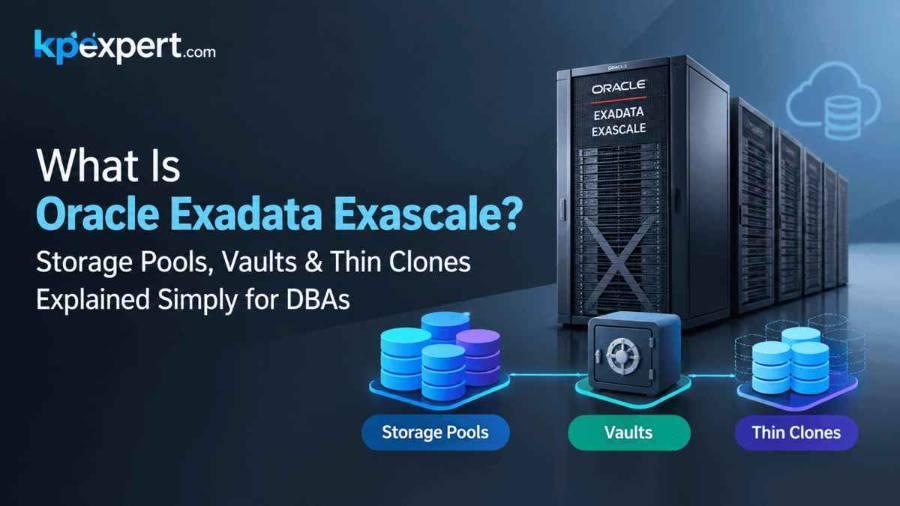
Start at the bottom. A storage pool is where the actual bytes live.
Oracle defines it as a collection of pool disks, which are grid disks set aside for Exascale, carved from the physical disks across your storage servers. The pool brings together disk capacity, Flash Cache and XRMEM from many servers into one place.
If you're coming from ASM, here's a rough way to think about it: a storage pool is like the raw grid disks across all your cells, gathered into one big shared resource rather than split up per cluster.
- Pools are typically built per media type. You might have an HC pool, an EF pool, and, on X11M, an XT pool for cold data.
- Pools spread across storage servers, so capacity and I/O scale as you add cells.
- Databases never touch a pool directly. They go through vaults, which is the next layer up.
Most DBAs won't spend much time on pools after the initial setup. That's mostly a job for whoever deploys the system with OEDA. Vaults are where daily work happens.
If pools are the warehouse, a vault is the locked room inside it that you hand to a team.
Oracle describes a vault as a logical storage container that takes physical resources from storage pools and makes them available to database clusters. It's the closest thing Exascale has to an ASM disk group, and it's the piece the database actually sees. Instead of +DATA, your data files point at a vault.
A vault does three jobs:
- Holds files — data files, redo logs, control files, archive logs. One vault can hold all of them, because Exascale tags each file with its content type. You don't need a separate RECO vault just to keep backups apart.
- Controls resources — you can cap how much space, flash cache or XRMEM a vault may use. Leave it unset and the vault can use everything in the cluster.
- Keeps tenants apart — vaults have access controls secured with key pairs, so one database cluster can't read another cluster's files.
Creating a Vault
Vaults are managed with ESCLI, the Exascale command-line tool. The simplest form just names the vault:
@> mkvault @dev_vault
That vault gets unlimited access to the cluster's resources, which is fine in a lab but risky in production. More often you'll set a quota. This one gives the vault 10 TB of HC space:
@> mkvault @prod_vault --attributes spaceProvHC=10T
There are matching attributes for other media and caches, such as spaceProvEF, spaceProvXT, flashCacheProv and xrmemCacheProv.
Pointing the Database at a Vault
Oracle recommends Oracle Managed Files (OMF) with Exascale. You set the usual destination parameters to the vault name, with an @ in front:
db_create_file_dest=@prod_vault
db_create_online_log_dest_1=@prod_vault
db_recovery_file_dest=@prod_vault
Creating a tablespace looks almost the same as on ASM:
CREATE TABLESPACE app_data DATAFILE '@prod_vault' SIZE 10G;
@prod_vault/mylocation/. The same rule applies in RMAN, for example when setting an archivelog destination.Back to that 8 TB developer request. With Exascale, you can give the developer a thin clone instead of a full copy.
A thin clone starts out sharing every block with its source. Nothing is copied up front. When the clone changes a block, Exascale writes the new version somewhere else and points the clone at it. The source stays untouched. Oracle calls this redirect-on-write, and it's why a clone of a huge database can be ready in moments and take up almost no space on day one.
What makes this a real step forward compared with older Exadata snapshots:
- No test master needed — you can clone straight from a read/write source. Older methods wanted a read-only test master first.
- Almost anything can be cloned — read/write, read-only, primary and standby databases, and PDBs.
- Clones of clones work — build a masked “golden” copy once, then hand out clones of that to every developer.
- Across clusters — if two VM clusters share a vault, you can clone from one into the other. That's handy when production and dev must live on separate clusters, for example when data needs masking first.
- Full Exadata behaviour — clones keep Smart Scan and the other Exadata optimisations, so dev performance looks like prod.
What It Looks Like in Practice
For PDBs, the familiar snapshot copy syntax is the usual route:
CREATE PLUGGABLE DATABASE dev_pdb
  FROM prod_pdb
  SNAPSHOT COPY;
At the file level, ESCLI also offers snapshots, which are read-only point-in-time copies of files, through the snapshotfile command.
This part gets less attention, but anyone who has run out of local disk on a database server will appreciate it.
On traditional virtualised Exadata, each guest VM's image lives on the local disks of the database server. That limits how many VMs you can host and how big their file systems can grow. With Exascale, VM images can live on shared Exascale storage instead. Oracle's engineers point out that moving VM storage to Exascale gives far more space than most deployments will ever need, and it can be grown easily.
Exascale also provides block volumes: arbitrary-sized volumes you can attach and use for non-database files, such as application binaries or file systems. Like database files, volumes support snapshots, and ESCLI can back up a volume snapshot to a file in a vault with the mkvolumebackup command.
Here's how the two compare on the things DBAs deal with most:
+DATA and +RECO@prod_vault- On-premises Exadata Database Machine — this is where Exascale started. On the newest hardware, X11M XT storage servers can even form an XT storage pool for cold data.
- Exadata Database Service on Exascale Infrastructure in Oracle Cloud — Oracle runs the storage and you consume it by the vault, which is a much smaller entry point than a full Exadata rack.
- Exadata Database Service on Cloud@Customer — Oracle has announced Exascale storage for this service too, alongside existing ASM storage, so production can carry on undisturbed.
If you're planning your first Exascale deployment, a few habits will save you pain later.
1. Start with Dev/Test
Thin clones are where the payoff is fastest and the risk is lowest. Move a non-critical environment first, learn ESCLI there, and build confidence before touching production.
2. Set Vault Quotas from Day One
A vault with no provisioning attributes can use everything in the cluster. That's convenient until one team's clones fill the pool.
3. Plan a Clone Lifecycle
Clones are cheap, so people make lots of them. Agree on naming, owners and expiry dates, or you'll end up with hundreds of forgotten clones holding changed blocks.
4. Learn the New Paths
@vault/ instead of +DATA/, trailing slashes for folders inside a vault, and ESCLI instead of ASMCMD. Update your scripts and runbooks before go-live, not after.
5. Check Versions
Exascale needs specific Exadata System Software, Grid Infrastructure and database releases. Confirm the minimums in the documentation for your platform before planning a migration.
These come up more and more in Exadata DBA interviews. Short, honest answers work best.
Q1. What is Exadata Exascale in one sentence?
A storage architecture for Exadata that moves storage management into the storage servers and serves databases from shared storage pools through vaults.
Q2. What's the difference between a storage pool and a vault?
A pool is the physical layer: pool disks across storage servers. A vault is a logical container on top of the pools that database clusters actually use, with its own quotas and access controls.
Q3. What is the ASM equivalent of a vault?
Roughly, a disk group. Databases reference a vault such as @prod_vault where they used to reference +DATA.
Q4. How do thin clones save space?
They use redirect-on-write. The clone shares all blocks with its source and only stores blocks that change after it's created.
Q5. Do Exascale thin clones need a read-only test master?
No. You can thin-clone read/write, read-only, primary, standby and pluggable databases, and even clone a clone.
Q6. Can ASM and Exascale run on the same Exadata?
Yes. Existing databases can stay on ASM while new ones use Exascale.
Q7. Which tool manages Exascale vaults?
ESCLI. For example, mkvault @my_vault --attributes spaceProvHC=10T creates a vault with 10 TB of HC space.
Q8. How do you point a database at Exascale storage?
Use OMF and set parameters such as db_create_file_dest to the vault, for example @prod_vault.
Q9. Do you need separate DATA and RECO vaults?
Not necessarily. Exascale stores the content type with each file, so one vault can hold both.
Q10. Where do VM images live with Exascale?
They can live on shared Exascale storage instead of local disks on the database servers.
Is ASM going away?
Not any time soon. Oracle supports ASM and Exascale side by side, and plenty of systems will run ASM for years. Exascale is the direction of travel, but nobody is forcing a rip-and-replace.
Do I lose Smart Scan or flash cache on Exascale?
No. Exascale keeps the Exadata features that make the platform fast. It changes how storage is organised and shared, not the intelligence in the storage servers.
Can Exascale use XT storage for cold data?
Yes, on X11M XT. You can build an XT storage pool and give vaults XT space with the spaceProvXT attribute. Earlier XT generations can't be used with Exascale.
Are thin clones safe to use for production data?
They're a storage feature, so the usual rules still apply. If developers shouldn't see real customer data, mask it in a golden copy first and clone from that.
Is Exascale only for the cloud?
No. It started on-premises and is also available in Oracle's Exadata cloud services.
Exascale can sound like a lot of new jargon, but it comes down to a simple idea. Stop giving every cluster its own walled-off storage. Put the capacity in shared pools, hand out vaults with sensible limits, and let thin clones do the heavy lifting for dev and test.
For most DBAs, the smartest first step isn't a big migration. It's one dev environment on Exascale, a few thin clones, and a week of getting comfortable with ESCLI. After that, the ASM vs Exascale question usually answers itself.
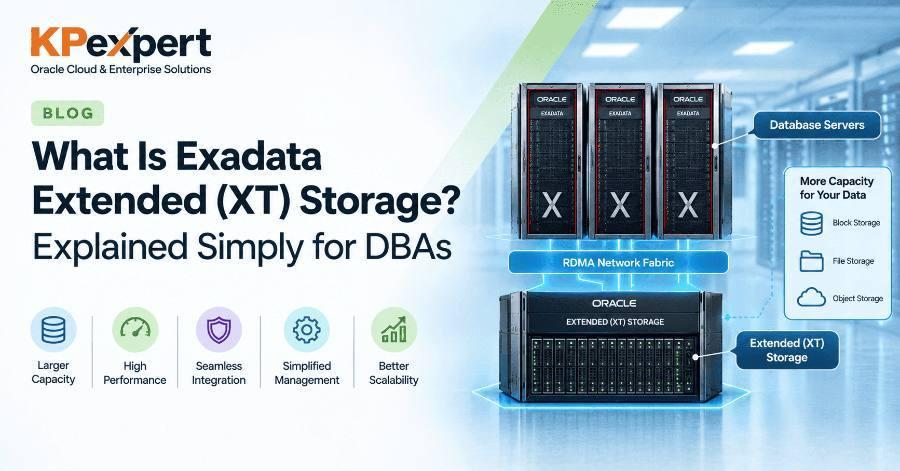
If you missed it, our guide to Exadata Extended (XT) storage explains how XT pools fit into the picture.
- Exadata Exascale, Oracle Exadata blog
- Exascale: Oracle Database Storage in the Age of the Cloud, Oracle Database blog
- Announcing Exascale Storage with Exadata Database Service on Cloud@Customer, Oracle Database blog
- Create a Vault, Oracle Exascale User's Guide
- Using Oracle Managed Files with Exascale, Oracle Exascale User's Guide
- Snapshotting Files, Oracle Exascale User's Guide
- Create a Volume Backup, Oracle Exascale User's Guide
[Author name], [Role] at KP Expert. [Add real experience here: years as an Oracle DBA, Exadata or Exascale environments you've worked on, certifications, and how many DBAs you've trained.] Connect on [LinkedIn profile link].
Reviewed by: [Reviewer name, title], [date].
Recap: what to take away
- Exascale moves storage management into the Exadata storage servers
- Storage pools hold the physical capacity; vaults are what databases use
- Thin clones use redirect-on-write and need no read-only test master
- ASM and Exascale can run side by side, so migration can be gradual
- Start with dev/test, set vault quotas, and plan a clone lifecycle
Want to master Exadata hands-on? KP Expert's live Oracle Exadata training covers storage architecture, administration and real production scenarios. Explore the Oracle Exadata course.