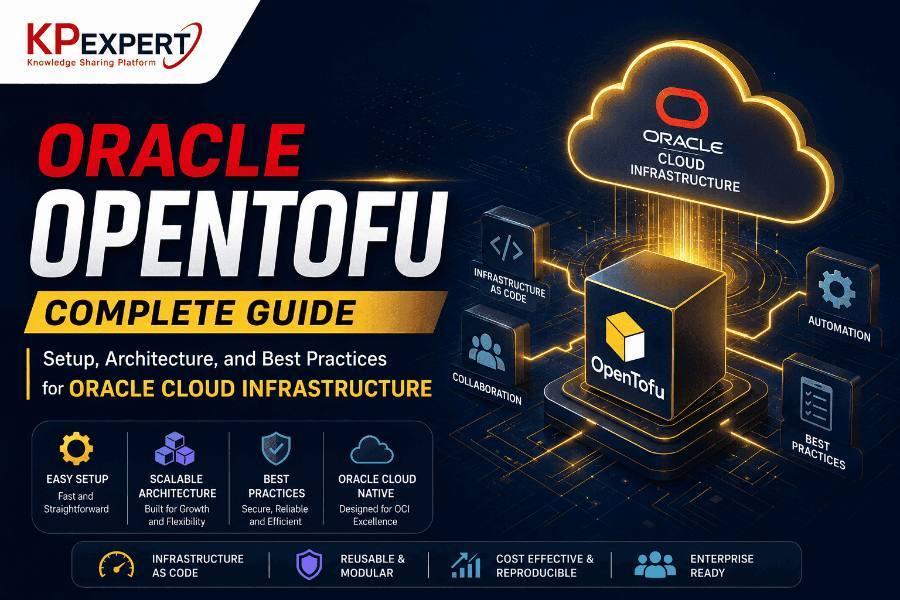
Oracle OpenTofu Complete Guide
If you've spent any time around DevOps teams in the last year or two, you've probably heard someone mention OpenTofu in the same breath as Terraform — sometimes with a shrug, sometimes with genuine excitement. What started as a reaction to a licensing change at HashiCorp has turned into a serious, community-governed alternative that a growing number of teams are using to manage their cloud infrastructure, including Oracle Cloud Infrastructure (OCI).
This guide walks through what OpenTofu actually is, how it fits into the OCI ecosystem, and how to go from zero to a working setup without getting lost in jargon along the way.
What Is OpenTofu, Really?
OpenTofu is an open-source fork of Terraform, created after HashiCorp switched Terraform's license from the open MPL 2.0 to the more restrictive Business Source License in 2023. A group of companies and individual contributors — including names like Spacelift, Harness, Env0, and Gruntwork — banded together under the Linux Foundation to keep a genuinely open-source version alive. That project became OpenTofu.
Functionally, if you already know Terraform, you already know most of OpenTofu. The syntax is the same HCL (HashiCorp Configuration Language) you're used to, the workflow of plan, apply, and destroy hasn't changed, and existing .tf files generally work without modification. The differences show up more in governance, licensing, and a handful of newer features OpenTofu has started shipping on its own — things like native state encryption and the ability to pull providers and modules from OCI (Open Container Initiative) registries.
OpenTofu vs Terraform: The Practical Differences
| Aspect | OpenTofu | Terraform |
|---|---|---|
| License | MPL 2.0 (fully open source) | Business Source License (BSL) |
| Governance | Linux Foundation, community-driven | HashiCorp (commercial entity) |
| Provider compatibility | Works with existing providers, incl. oracle/oci | Native |
| State encryption | Built-in support | Requires third-party tooling or Terraform Cloud |
| Registry | OpenTofu Registry + OCI registry mirrors | HashiCorp Registry |
| Cost | Free, no usage restrictions | Free for individuals, restrictions for competing commercial use |
| CLI commands | tofu init / plan / apply | terraform init / plan / apply |
For most teams, the decision to move to OpenTofu isn't really about missing features — it's about not wanting to be locked into a vendor's licensing terms for infrastructure that's supposed to be portable in the first place. That's a bigger deal for consulting firms, SaaS vendors, and platform teams building tooling on top of Terraform than it is for a five-person startup just spinning up a few VMs, but it's increasingly a factor in procurement conversations too.
Why Pair OpenTofu with Oracle Cloud Infrastructure
OCI has quietly become a serious option for enterprises running Oracle databases, ERP workloads, and compute-heavy applications, largely because of pricing and its tight integration with Oracle's database stack. But provisioning OCI resources by hand through the console doesn't scale past a handful of environments — and that's exactly the gap Infrastructure as Code fills.
A few reasons teams reach for OpenTofu specifically when working with OCI:
- No licensing ambiguity. Since OpenTofu is fully open source, there's no question about whether your use case falls inside or outside HashiCorp's BSL terms.
- Drop-in compatibility. The
oracle/ociprovider that Oracle maintains works with OpenTofu without changes, so teams already using Terraform for OCI can generally switch by changing a binary and a couple of lines in their config. - Multi-cloud consistency. Organizations running workloads across OCI, AWS, and Azure like having one IaC tool that isn't tied to a single vendor's commercial roadmap.
- Active community development. Features land quickly because contribution isn't gated behind a single company's release cycle.
How a Request Actually Reaches Oracle Cloud
A simplified view of the request path:
This is the same request path Terraform uses today — OpenTofu doesn't change how OCI is reached, only what runs the plan.
Setting Up OpenTofu for Oracle Cloud Infrastructure
Here's the practical part — getting from an empty terminal to a provisioned OCI resource.
Step 1: Install OpenTofu
On most Linux distributions, the quickest path is the official install script:
macOS users can just run brew install opentofu. Once it's installed, confirm it with tofu version.
Step 2: Generate an OCI API Signing Key
OCI authenticates API and CLI requests using RSA key pairs rather than static API keys, so you'll need to generate one before OpenTofu can talk to your tenancy.
Upload the public key under your user's API Keys section in the OCI Console (User Settings → API Keys). The console will give you a fingerprint — save that, you'll need it in the provider block.
Step 3: Configure the Provider Block
If you'd rather not hardcode credentials into variables at all, OpenTofu also picks up standard OCI environment variables:
This approach is a bit cleaner for CI/CD pipelines, since you're not passing secrets through .tfvars files that could end up committed by accident.
Step 4: Write a Basic Resource Configuration
A simple example — provisioning a Virtual Cloud Network and a compute instance:
Step 5: Initialize, Plan, and Apply
tofu init downloads the OCI provider and sets up your working directory. tofu plan shows exactly what will be created, changed, or destroyed — always worth reading carefully before typing "yes." tofu apply executes it.
Managing State the Right Way
By default, OpenTofu keeps state in a local terraform.tfstate file, which is fine for experimenting but a bad idea the moment more than one person touches the same infrastructure. For team environments, storing state in OCI Object Storage (using an S3-compatible backend configuration, since OCI Object Storage supports the S3 API) is a common pattern:
This also opens the door to state locking and versioning, which matters a lot once multiple engineers or pipelines are applying changes to the same environment.
Security Practices Worth Actually Following
.pem private keys and .tfvars files out of version control — a .gitignore entry takes five seconds and prevents a bad week.Where This Shows Up in Real Deployments
In practice, teams tend to reach for OpenTofu on OCI for a fairly predictable set of jobs:
- Multi-region environments for disaster recovery
- CI/CD pipelines where environments spin up and tear down automatically for testing
- Hybrid setups spanning OCI, AWS, and on-prem hardware
- GitOps workflows, where every infrastructure change goes through a pull request and review before it touches a live environment
Frequently Asked Questions
What is OpenTofu used for?
OpenTofu is used to provision, manage, and version infrastructure as code — servers, networks, storage, databases — across cloud providers including Oracle Cloud Infrastructure, AWS, Azure, and GCP.
Is OpenTofu free to use?
Yes. OpenTofu is licensed under MPL 2.0 with no usage restrictions, unlike Terraform's Business Source License.
Can OpenTofu replace Terraform for managing Oracle Cloud Infrastructure?
In most cases, yes. The oracle/oci provider is compatible with OpenTofu, and existing Terraform configurations typically work with little to no modification.
Do existing Terraform OCI modules work with OpenTofu?
Generally, yes — since OpenTofu maintains compatibility with the Terraform provider protocol, most community and Oracle-published modules work as-is.
What should I learn before starting with OpenTofu?
Basic familiarity with cloud infrastructure concepts (compute, networking, IAM) and some exposure to Terraform or HCL syntax will make the learning curve much shorter.
Conclusion
OpenTofu isn't a radical departure from what you already know if you've worked with Terraform — and that's really the point. It gives teams a fully open path to managing Oracle Cloud Infrastructure as code, without the licensing questions that come with HashiCorp's current terms.
Whether you're managing a handful of compute instances or coordinating multi-region OCI deployments for a bank or a hospital system, the fundamentals covered here — provider setup, state management, and basic security hygiene — are the foundation everything else builds on.
If you want to go deeper into Infrastructure as Code for Oracle environments, including hands-on labs and certification-aligned training, KP Expert's Oracle Terraform and OCI courses cover this in a lot more depth than a single blog post can.