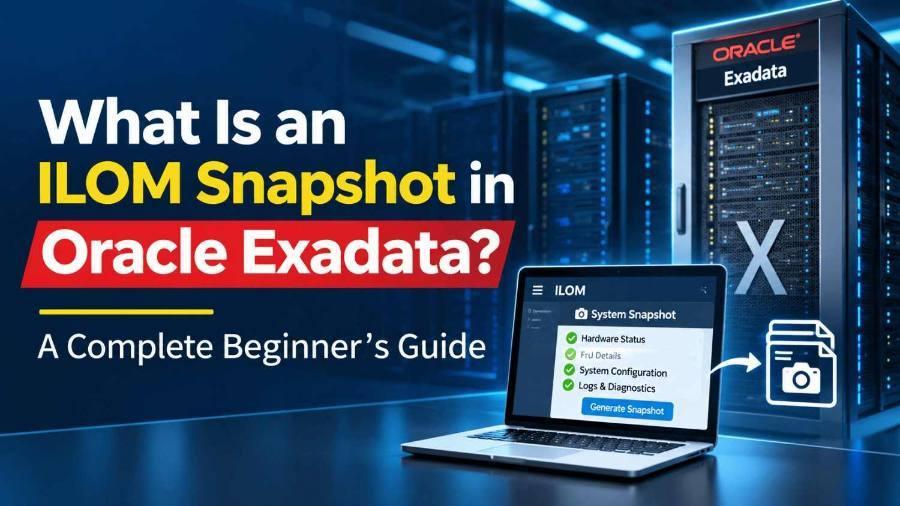
The hardware evidence file Oracle Support asks for first: what an ILOM snapshot is, what it collects, which data set to choose, and how to generate one on Exadata database servers and storage servers.
Updated 18 November 2026 by KP Expert · 8 min read
Quick summary
An ILOM snapshot is a diagnostic file collected by the Service Processor on each Exadata server. It bundles logs, part serial numbers, fault records, sensor readings and firmware details, so Oracle Support can find the failed component fast, even when the OS is down.
Key takeaways
- ILOM runs on its own processor, separate from the OS.
- A snapshot is one .zip of hardware evidence.
- Use the Normal data set unless Support says otherwise.
- Collect it right after a hardware event.
- Three ways to collect: web UI, CLI, sundiag.sh.
In this guide
01Introduction
When a disk fails, a fan stops spinning or a server reboots unexpectedly on an Oracle Exadata machine, the first thing Oracle Support usually asks for is an ILOM snapshot. For many new Exadata DBAs and Database Machine Administrators (DMAs), this request is confusing. What exactly is it, what does it contain, and how do you collect it without affecting production?
This beginner's guide explains everything in simple terms: what ILOM is, what an ILOM snapshot is, the information it collects, the different data set types, and the step-by-step methods to generate one on Exadata database servers and storage servers.
02What Is ILOM?
ILOM (Oracle Integrated Lights Out Manager) is the built-in management system on Oracle servers, including every database server (compute node) and storage server (cell) in an Exadata rack. It runs on a dedicated chip called the Service Processor (SP), which is separate from the main server CPU and operating system.
Because ILOM has its own processor, network port and firmware, it keeps working even when:
- The operating system has crashed or is hung
- The server is powered off (as long as it has standby power)
- The database and Grid Infrastructure are down
This is called out-of-band management. Administrators use ILOM to power servers on and off, open a remote console, monitor hardware health, view fault alerts and update firmware.
03What Is an ILOM Snapshot?
An ILOM snapshot is a diagnostic bundle that the Service Processor collects about the server's hardware and ILOM state at a specific moment. Think of it as a complete health X-ray of the server's hardware, packed into a single compressed file (usually a .zip).
The snapshot gathers logs, configuration, sensor readings, component inventory and fault records from the SP. Oracle Support engineers analyze this file to find the root cause of a hardware problem and decide which part needs replacement.
In short: the ILOM snapshot is the hardware evidence file for an Exadata server.
04Why the ILOM Snapshot Matters in Exadata
Exadata is an engineered system, and Oracle Support manages its hardware under strict diagnostic rules. For most hardware Service Requests (SRs), the support engineer needs proof of the fault before dispatching a field engineer or a replacement part. The ILOM snapshot provides that proof.
Faster SR resolution
Uploading the snapshot with the SR avoids back-and-forth requests.
Accurate part replacement
Serial numbers and fault records identify the exact failed component.
Event history
Logs show what happened before and after the failure, which explains unexpected reboots.
Works without the OS
It comes from the SP, so you can collect it even if the server will not boot.
05What Information Does an ILOM Snapshot Collect?
The exact contents depend on the ILOM version and the data set you choose, but a typical snapshot includes:
| Category | What it contains | Why it helps |
|---|---|---|
| Service Processor details | ILOM firmware version, SP configuration, users, network settings | Confirms firmware level and SP setup |
| Event and audit logs | Hardware events, alerts, user logins and actions on ILOM | Builds a timeline of the problem |
| SP system logs | Internal logs of the Service Processor | Shows SP-level errors and resets |
| FRU inventory (FRUID) | Part and serial numbers of motherboard, CPUs, DIMMs, disks, PSUs, fans | Identifies the exact part to replace |
| Fault management data | Diagnosed faults and open problems | Points directly to the failed component |
| Sensor readings | Temperatures, voltages, fan speeds, power status | Detects overheating or power issues |
| Host information | BIOS/system firmware, host console history, power-on/off history | Explains crashes, hangs and reboots |
This is why Oracle Support prefers the snapshot over screenshots or manual command output: it captures everything in one consistent package.
06ILOM Snapshot Data Sets Explained
When you create a snapshot, ILOM asks you to choose a data set:
| Data set | What it collects | When to use it |
|---|---|---|
Normal | ILOM, operating system and hardware information | Default for most SRs |
FRUID | Field Replaceable Unit details, in addition to Normal data | When part identification is the main need |
Full | Maximum diagnostic data; takes longer and, on some systems, can reset the host | Only when Oracle Support asks |
Custom | Selected areas only: ILOM, hardware, OS data or log files | Targeted collection |
Some ILOM versions also offer options to collect only log files or to encrypt the output file with a passphrase.
07When Should You Collect an ILOM Snapshot?
Collect a snapshot whenever you see or suspect a hardware issue, for example:
- A hardware alert from Exadata cell alerts, ILOM or Oracle Enterprise Manager
- A failed or predictive-failure disk, flash card or DIMM
- Fan, power supply or temperature warnings
- An unexpected server reboot, crash or hang
- Before and after major firmware or Exadata software updates, if Support requests it
- Any time Oracle Support asks for it in an SR
Collect it as soon as possible after the event, because logs can roll over and older entries may be lost.
08How to Collect an ILOM Snapshot on Exadata
There are three common methods. Menu names and commands can vary slightly by ILOM version, so always check the documentation for your release.
Method 1: ILOM web interface
- Open a browser and log in to the ILOM IP address of the server (as
rootor a user with admin rights). - Go to ILOM Administration → Maintenance → Snapshot.
- Select the data set (for example, Normal).
- Choose the transfer method: Browser (download to your PC) or a remote target such as SFTP.
- Click Run and wait for the file to finish downloading.
Method 2: ILOM command line (CLI)
Log in to the ILOM over SSH, then run:
The first command chooses the data set, the second starts the collection and sends the file to the remote server, and the third shows the progress and status.
Method 3: sundiag.sh on the Exadata server
Exadata includes the diagnostic script sundiag.sh in /opt/oracle.SupportTools/. Run as root, it gathers hardware diagnostics from the server and has options to include ILOM data:
The ilom option gathers ILOM data from the host side, while the snapshot option collects a full ILOM snapshot over the network. Check the latest sundiag note on My Oracle Support for the options your version supports, and see our Exadata Sundiag guide.
09Snapshot Output and Uploading to Oracle Support
The output is usually a compressed .zip file named with the server's hostname and a timestamp. Keep this naming so Support can match the file to the right server.
- Open your SR on My Oracle Support.
- Upload the snapshot file to the SR.
- Add a short note: server name, role (database server or storage server), time of the issue and what you observed.
Example
A storage cell raises a fan fault alert at night. The DBA logs in to that cell's ILOM, runs a Normal snapshot, and uploads the .zip to the SR with a note naming the cell and the alert time. The fault record and fan serial number in the snapshot let Support dispatch the right part without asking for more data.
If the issue affects several servers, collect and label a separate snapshot for each one.
10Best Practices and Common Mistakes
✓ Do
- Document ILOM IPs, network access and credentials for every server.
- Collect the snapshot immediately after a hardware event.
- Use the Normal data set by default.
- Send sundiag output along with it for disk or storage issues.
- Store snapshots securely; they contain configuration and network details.
✗ Avoid
- Running the Full data set on production without Support's advice.
- Waiting too long, so important logs roll over.
- Uploading a snapshot from the wrong server.
- Renaming the file so the hostname or timestamp is lost.
- A firewall blocking the SFTP target, which makes the transfer fail.
11Frequently Asked Questions
QDoes an ILOM snapshot affect the running database?
A Normal snapshot runs on the Service Processor and normally does not affect the database. The Full data set can affect the host on some systems, so use it only when Support asks.
QHow long does it take?
Usually a few minutes for a Normal snapshot. Full snapshots can take longer.
QWhat is the difference between an ILOM snapshot and sundiag?
The ILOM snapshot comes from the Service Processor and focuses on hardware and ILOM data. sundiag.sh runs on the server's operating system and collects hardware, disk, controller and OS-level diagnostics. Support often asks for both.
QCan I collect a snapshot if the server is down?
Yes. As long as the server has standby power and the ILOM network is reachable, you can collect it.
12Conclusion
The ILOM snapshot is one of the most important diagnostic tools on Oracle Exadata. It captures the hardware health of a database server or storage server in one file, works even when the operating system is down, and helps Oracle Support find and fix hardware problems quickly. Learning when and how to collect it, and which data set to use, is a basic but essential skill for every Exadata DBA and DMA.
About the author
KP Expert Oracle Exadata Training Team. Our trainers teach Oracle Exadata administration, patching and hardware diagnostics, including ILOM, sundiag and Exachk, in live, hands-on classes for DBAs and Database Machine Administrators. Learn more at KP Expert's Oracle Exadata course.
Last reviewed: 18 November 2026.
Become a confident Exadata DMA
KP Expert's live Oracle Exadata course covers ILOM, sundiag, Exachk, hardware troubleshooting and real SR scenarios, with hands-on practice.
Explore the Oracle Exadata courseBook a free demo class