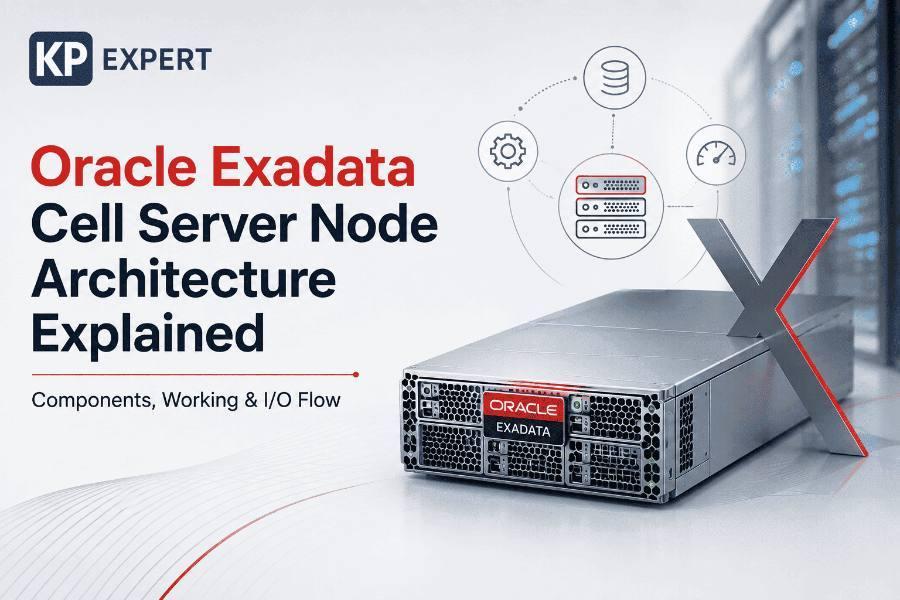
Oracle Exadata is designed differently from a traditional database architecture. Instead of treating storage servers as passive devices that simply store and return database blocks, Exadata uses intelligent storage servers that can participate in database processing.
At the center of this architecture is the Exadata Storage Server, commonly referred to as a storage cell. Each storage server contains storage hardware and Exadata System Software. The Cell Server (CELLSRV) is the core software component that provides most of the storage-server services, including SQL offload, I/O Resource Management (IORM), Storage Index functionality, and other storage processing capabilities.
Understanding the Oracle Exadata Cell Server Node Architecture is important for Oracle DBAs, Exadata administrators, database architects, and professionals preparing for advanced Oracle infrastructure roles. This article explains the architecture from the physical storage layer through CELLSRV and the network communication path to the database servers.
What Is an Oracle Exadata Cell Server Node?
An Oracle Exadata Cell Server Node is an intelligent storage server within an Exadata system. It combines storage hardware with specialized Exadata software so that storage operations and selected database processing can be performed close to the data.
In a conventional architecture, a database server requests blocks from storage and performs most database processing itself. Exadata changes this model by allowing storage servers to understand database requests and perform certain operations locally.
Oracle describes the Exadata Storage Server as a database-aware storage layer that can scale and parallelize database requests rather than simply storing and shipping data.
Multiple storage cells work together, allowing I/O and SQL offload operations to execute in parallel.
Oracle Exadata Cell Server Architecture Overview
The Exadata Storage Server has both hardware and software layers.
Hardware Layer
The storage-server hardware includes storage devices such as flash and hard-disk resources depending on the Exadata configuration. Modern Exadata architectures can also use Exadata RDMA Memory (XRMEM) to provide direct access to storage-server memory through RDMA.
Software Layer
The major software components include CELLSRV (Cell Server), MS (Management Server), RS (Restart Server), storage services, and cell management interfaces such as CellCLI and ExaCLI.
Oracle identifies CELLSRV as the component responsible for the majority of storage-server services, while MS provides management functionality and RS monitors services and helps restart them when required.
Key Components of an Exadata Cell Server Node
1. CELLSRV — Cell Server Core Component
CELLSRV is the most important software component in the Exadata Storage Server. It provides the majority of storage services and is responsible for capabilities such as:
- SQL Offload
- Smart Scan
- I/O Resource Management
- Storage Index creation and maintenance
- Flash Cache tiering
- XRMEM-related services
- Serving database blocks when SQL offload is not applicable
Oracle identifies CELLSRV as the core Exadata System Software component responsible for these services. For an Oracle DBA, understanding CELLSRV is particularly important because many of the performance benefits associated with Exadata depend on processing being performed at the storage layer.
2. Management Server (MS)
MS, or Management Server, provides the management interface for the Exadata Storage Server. It works with management tools such as CellCLI and is responsible for activities including:
- Storage-server management
- Configuration
- Monitoring
- Metrics
- Alerts
- Processing management commands
Oracle documentation identifies MS as the component that processes most commands from CellCLI.
3. Restart Server (RS)
RS, or Restart Server, monitors important Exadata software services. Its primary purpose is service availability. If a monitored service fails to respond within the expected heartbeat period, RS can restart the affected service. This contributes to the self-monitoring and availability characteristics of Exadata Storage Servers.
4. CellCLI and ExaCLI
Administrators can use Exadata management interfaces to configure and monitor storage cells. CellCLI is a command-line interface traditionally used directly on the storage server. ExaCLI provides remote management capabilities. For example, DBAs can use these interfaces to inspect cell configuration, storage resources, metrics, alerts, and other Exadata information.
Understanding Cell Disk and Grid Disk
To understand the Oracle Exadata Cell Server Node Architecture, it is important to distinguish between physical storage and the logical storage presented to Oracle ASM.
Cell Disk
A Cell Disk represents a physical storage device or portion of a physical device managed by Exadata System Software.
Grid Disk
A Grid Disk is a logical storage allocation created on a cell disk and made available to the Oracle ASM layer. ASM then combines grid disks from multiple storage cells to create ASM disk groups.
This architecture allows storage resources to be distributed across multiple storage servers and accessed in parallel.
How CELLSRV Processes Database I/O
One of the most important aspects of Exadata architecture is that the storage server understands more than a conventional storage device. The database server can communicate information about an operation to the storage server through Exadata's intelligent database communication mechanisms.
Oracle describes iDB as the protocol used to direct Smart I/O operations to Exadata Storage Servers. The storage server can process the request locally and return only the relevant data to the database server.
- SQL Query submitted
- Oracle Database
- Execution Plan
- Smart I/O / iDB
- Exadata Storage Server
- CELLSRV
- Storage Index / Flash / Disk
- Predicate Filtering / SQL Offload
- Relevant Data
- Returned to Database Server
This approach reduces unnecessary movement of data between storage and database servers.
Oracle Exadata Smart Scan
Smart Scan, also known as SQL Offload, is one of the most important features of Exadata. In a conventional storage architecture, the database server may need to retrieve large amounts of data and then perform filtering. With Smart Scan, selected processing can be pushed to the Exadata Storage Server.
For example:
Instead of sending every relevant database block to the database server for filtering, Exadata can perform eligible filtering at the storage layer and return the rows and columns required by the query.
Oracle states that Smart Scan can offload data-intensive SQL operations to storage servers and filter rows and columns before sending the relevant data to database servers.
Benefits of Smart Scan
- Reduced database-server I/O
- Reduced network data transfer
- Lower database-server CPU consumption
- Greater parallelism
- Faster large-scale scans
- Better performance for suitable analytical workloads
Smart Scan is automatically used when the Oracle Database optimizer selects eligible scan operations and the required conditions for offload are met.
Exadata Storage Indexes
Another major component of the Exadata Cell Server architecture is the Storage Index. A Storage Index is not the same as a conventional Oracle Database B-tree or bitmap index. Instead, Exadata System Software maintains information about data stored in storage regions. Storage indexes can track minimum and maximum values for columns in those regions and use that information to determine whether a region can contain rows matching a query predicate.
For example, assume a storage region contains values where:
The storage server can determine that the region cannot satisfy the predicate and avoid unnecessary I/O. This process is called I/O pruning.
Why Storage Indexes Matter
- Avoid unnecessary disk/flash reads
- Reduce physical I/O
- Improve Smart Scan efficiency
- Reduce response time for suitable queries
- Reduce the workload on storage devices
Storage indexes are maintained automatically by Exadata System Software rather than requiring traditional index-management operations by the DBA.
Exadata IORM and CELLSRV
IORM, or I/O Resource Management, helps control how storage resources are shared between workloads. This becomes particularly important when multiple databases, clusters, PDBs, or workloads use the same Exadata infrastructure. IORM operates at the storage-server level and schedules I/O according to configured resource plans when a cell's capacity becomes saturated.
IORM helps prevent one workload from consuming disproportionate storage I/O resources. Current Oracle documentation also describes different IORM optimization objectives, including auto, high_throughput, and low_latency, depending on workload requirements.
Flash Cache and XRMEM
Exadata storage architecture is not limited to traditional disk storage. Depending on the Exadata generation and configuration, the storage layer can use flash and Exadata RDMA Memory (XRMEM) to accelerate access to frequently used data.
Oracle describes XRMEM as providing direct access to storage-server memory using RDMA, helping reduce read latency. Flash Cache can also reduce the need to read frequently accessed data from slower storage media.
The result is a multi-tier storage architecture in which data can be served from an appropriate storage tier based on workload and access characteristics.
Complete Oracle Exadata Cell Server I/O Flow
The complete I/O path can be simplified as follows:
- Application sends SQL
- Oracle Database parses SQL
- Optimizer creates execution plan
- Database determines eligible Smart I/O
- Request is sent to Storage Server
- CELLSRV receives the request
- Storage Index may eliminate irrelevant regions
- Data is accessed from flash/XRMEM/disk
- Smart Scan performs eligible filtering
- Only required data is returned
- Database Server performs remaining processing
- Result is returned to application
This architecture is a major reason why Exadata can scale database workloads by distributing processing across both database and storage servers.
Oracle Exadata Cell Server vs Traditional Storage
| Feature | Traditional Storage | Exadata Storage Server |
|---|---|---|
| Database awareness | Limited | Database-aware |
| SQL processing | Primarily database server | Selected processing can be offloaded |
| Smart Scan | No | Yes |
| Storage Index | No | Yes |
| IORM | Depends on storage platform | Integrated with Exadata software |
| Parallel storage processing | Limited by architecture | Designed for scale-out |
| Data filtering | Primarily database server | Can occur at storage |
| Intelligent I/O | Limited | Smart I/O capabilities |
The key architectural difference is that Exadata makes storage an active participant in database processing rather than merely a data repository.
Why Cell Server Architecture Improves Exadata Performance
The performance advantages come from multiple architectural mechanisms working together.
1. Processing closer to the data
Smart Scan allows eligible filtering and other operations to occur at the storage layer.
2. Reduced data movement
Only relevant rows and columns may need to travel back to database servers.
3. Storage Index pruning
Storage indexes can eliminate unnecessary I/O before data is processed.
4. Parallelism
Multiple storage cells can process requests concurrently.
5. I/O prioritization
IORM helps manage competing workloads.
6. Faster storage tiers
Flash and XRMEM capabilities can reduce latency for appropriate workloads.
Together, these mechanisms allow Exadata to increase throughput while reducing unnecessary database-server and network work.
Monitoring Oracle Exadata Cell Server Performance
Oracle DBAs should monitor both the database and storage layers when troubleshooting Exadata performance. Important areas include:
- Cell I/O performance
- I/O latency
- Smart Scan activity
- Storage Index effectiveness
- Flash Cache utilization
- IORM resource plans
- Network performance
- CELLSRV health
- MS and RS service status
- Database wait events
- Physical I/O
- Cell metrics
A database performance issue should not automatically be assumed to originate from the database server. Exadata performance analysis requires understanding the complete database-to-storage path.
Best Practices for Oracle Exadata Cell Server Management
1. Monitor all storage cells
Performance should be evaluated across the storage-cell cluster rather than focusing on a single server.
2. Understand Smart Scan eligibility
Not every SQL statement benefits equally from Smart Scan. DBAs should analyze execution plans and relevant Exadata statistics.
3. Monitor IORM configuration
For consolidated environments, ensure resource plans reflect actual business priorities.
4. Monitor storage indexes
Storage Index effectiveness depends on workload and data distribution. They are maintained automatically, but their impact should be considered during performance analysis.
5. Keep Exadata software current
Exadata System Software releases introduce new capabilities, performance improvements, and fixes. Upgrade planning should follow Oracle's supported procedures.
6. Analyze database and cell metrics together
A database wait event alone may not explain the underlying storage behavior. Correlating database metrics with Exadata cell metrics provides a more complete picture.
Common Oracle Exadata Cell Server Architecture Mistakes
CELLSRV performs substantial database-aware processing. It is much more than a basic storage daemon.
Smart Scan depends on the operation and execution conditions. Traditional database processing may still occur when offload is not applicable.
Storage indexes are Exadata-managed structures designed to reduce unnecessary storage I/O; they are not indexes created through normal SQL DDL.
When multiple workloads share an Exadata system, IORM can be an important part of workload management.
Exadata performance depends on the interaction between database servers, storage servers, network fabric, and Exadata System Software.
Frequently Asked Questions
What is CELLSRV in Oracle Exadata?
CELLSRV, or Cell Server, is the core Exadata System Software component running on the Storage Server. It provides most storage-server services, including SQL offload, IORM, Storage Index functionality, and other storage processing.
What is an Exadata Cell Server?
An Exadata Cell Server is an intelligent storage server that combines storage hardware with Exadata System Software and can participate in database processing.
What is Smart Scan in Exadata?
Smart Scan is an Exadata SQL-offload technology that moves eligible data-search and retrieval processing to the storage servers, reducing unnecessary data movement to database servers.
What is a Storage Index in Exadata?
A Storage Index is an automatically maintained Exadata structure that summarizes data in storage regions and can help the storage server avoid I/O for regions that cannot satisfy a query predicate.
What is IORM in Oracle Exadata?
IORM stands for I/O Resource Management. It manages storage-server I/O resources and helps allocate resources between competing workloads according to configured policies.
What are MS and RS in Exadata?
MS is the Management Server responsible for management-related operations, while RS is the Restart Server that monitors important services and helps restart them when necessary.
How does an Exadata Cell Server communicate with database servers?
Exadata uses specialized high-speed networking and intelligent database communication mechanisms such as iDB for Smart I/O operations. These mechanisms allow database requests and relevant processing information to be sent to storage servers.
Why is Exadata different from traditional storage?
Traditional storage primarily stores and returns data blocks. Exadata Storage Servers can participate in database processing, including SQL offload, storage-index-based I/O pruning, and I/O resource management.
Conclusion
The Oracle Exadata Cell Server Node Architecture is built around the concept of intelligent, database-aware storage. Instead of moving large volumes of data to database servers for every operation, Exadata distributes selected processing across its storage servers.
At the center of this architecture is CELLSRV, supported by MS, RS, storage services, flash, XRMEM, Cell Disks, and Grid Disks. Technologies such as Smart Scan, Storage Indexes, IORM, Flash Cache, and RDMA-based capabilities work together to reduce unnecessary I/O, improve parallelism, and optimize database workloads.
For Oracle DBAs and infrastructure professionals, understanding this architecture is essential for troubleshooting performance, designing Exadata environments, configuring workloads, and making effective use of Exadata's database-aware storage capabilities.
Oracle Exadata is not simply database + storage. Its key architectural advantage is the intelligence built into the storage layer itself.