A practical guide to how it works, how to turn it on, and where it fits in a real security stack
Most database breaches don't start with someone smashing through a firewall. They start with a valid login — a stolen application password, an over-permissioned service account, a developer credential that leaked into a public repo. Once that credential is in an attacker's hands, the network perimeter has nothing left to say about what happens next. Whatever damage follows happens through ordinary SQL, sent from a place the database already trusts.
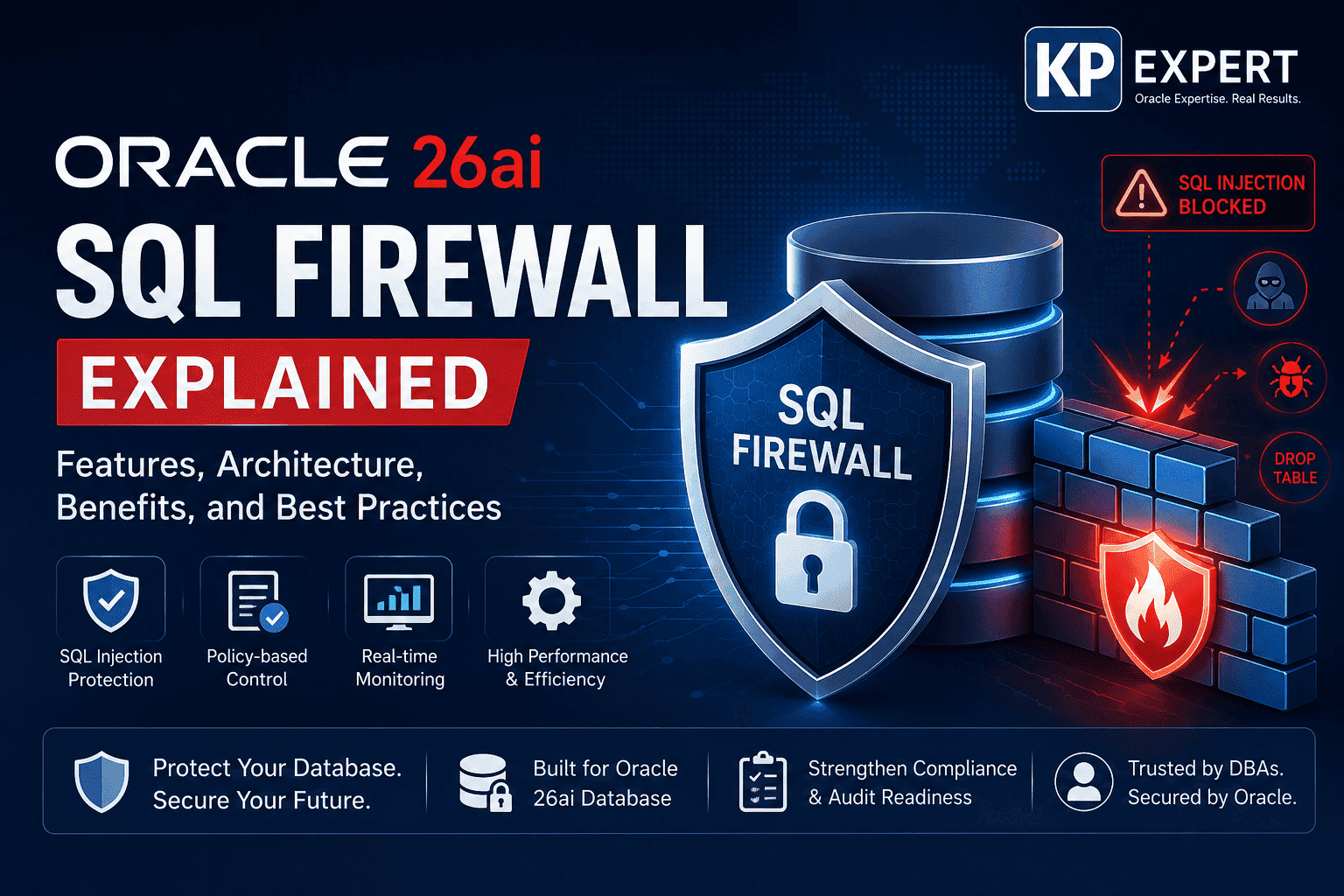
That's the gap Oracle set out to close with SQL Firewall, a feature first introduced in Oracle Database 23ai and carried forward — with a broader scope — into Oracle AI Database 26ai. Rather than watching packets on the wire, it watches the SQL itself, from inside the database engine, and it decides whether a given statement matches how the application is actually supposed to behave.
This guide walks through what the feature does, how the learn-then-enforce workflow operates in practice, the commands you'll actually type to turn it on, and the places it tends to trip people up. It also covers a few things the topic is often written about without mentioning: how SQL Firewall handles session context (not just SQL text), how it's managed at fleet scale through Oracle Data Safe, and where it sits alongside Oracle's other security products rather than replacing them.
What Oracle SQL Firewall Actually Does
At its core, SQL Firewall inspects every SQL statement reaching the database — local or over the network, encrypted or not — and checks it against an allow-list built from how the application normally behaves. Anything outside that list can be logged, alerted on, or blocked outright, depending on how strict the policy is set. Because the inspection happens inside the database kernel rather than on a separate appliance sitting in front of it, there's no path into the data that skips the check. An application connecting directly to the listener, a rogue script running locally on the DB host, a stored procedure quietly issuing SQL of its own — all of it passes through the same inspection point.
It's worth being precise about what it checks besides the SQL text. Oracle SQL Firewall can also restrict connections based on session context: the client IP address, the OS user, and the OS program name attached to a connection. That matters because a lot of real-world attacks don't involve unusual SQL at all — they involve a legitimate service account connecting from somewhere it never should, say a developer's laptop instead of the application server. A firewall that only reads SQL text would miss that entirely; one that also reads session context catches it.
Why This Matters More Than It Used To
Traditional controls — authentication, role-based access, encryption, network segmentation — are all still necessary, but none of them answer a simple question: once someone (or something) is authenticated and connected, are the statements they're running the statements they're supposed to be running? Password rotation doesn't catch a compromised app account running DROP TABLE at 3 a.m. Encryption doesn't stop an authorized user from quietly widening a SELECT to pull rows they shouldn't see. Role-based access control assumes the roles were scoped correctly in the first place, which in practice they rarely are for long.
SQL injection is the sharpest example of the gap. An attacker doesn't need to steal a password if they can smuggle their own SQL through a vulnerable input field using an account the application already owns. SQL Firewall closes that specific hole by comparing the statement that actually arrives at the database against the shape of SQL the application is known to generate — injected SQL almost never matches, so it gets caught regardless of which field it came through.
How It Works, Step by Step
1. Capture normal behavior
SQL Firewall starts in a capture mode rather than an enforcement mode. Over a representative period — long enough to cover month-end batch jobs, reporting cycles, and any less-frequent workflows — it records the SQL a given database user or application actually runs, along with the session context those statements arrive with.
2. Turn the capture into an allow-list
Once capture has run long enough to be representative, an administrator generates an allow-list from what was recorded. This is the point where a human should actually look at the output rather than rubber-stamping it — capture windows have a habit of missing a quarterly job or an admin script that only runs once a year.
3. Enable enforcement
With the allow-list in place, SQL Firewall is switched into active enforcement. From here, every incoming statement is compared against the list in real time. A match runs normally; a statement that doesn't match — or a connection whose IP address, OS user, or program name doesn't match — gets logged, alerted, or blocked according to the policy that's been set.
In practice, most teams don't flip straight to a hard block. A monitor-and-alert period after enforcement is turned on catches the false positives — a legitimate but rare workflow that capture missed — before anything real gets blocked.
The commands, roughly
The exact syntax varies slightly by release, but the shape of the workflow on the SQL side looks like this, run by a user with the SQL_FIREWALL_ADMIN role:
- EXEC DBMS_SQL_FIREWALL.ENABLE; — turns the feature on for the PDB
- SELECT status FROM DBA_SQL_FIREWALL_STATUS; — confirms it's actually enabled
- A capture is created and started for the target user, with an option to begin capturing immediately
- DBMS_SQL_FIREWALL.GENERATE_ALLOW_LIST — builds the allow-list from what was captured
- DBMS_SQL_FIREWALL.ENABLE_ALLOW_LIST — switches that user or application over to enforcement
SQL Firewall can be enabled in the root container or in an individual pluggable database, which matters for anyone running a multi-tenant setup where different PDBs belong to different applications or business units.
Where It Sits Architecturally
Conceptually, requests flow from the application, through the standard Oracle drivers (JDBC, OCI, ODP.NET), into the database — and it's inside that boundary, before a statement is allowed to execute, that the firewall engine does its comparison against the allow-list and session-context rules. Statements that pass continue to execution as normal; statements that don't are logged, and depending on policy, either flagged or stopped outright. Everything — allowed and blocked — lands in the audit trail, which is what feeds compliance reporting and any SIEM integration downstream.
The advantage of putting the check at this layer, rather than in front of the database, is that it's essentially impossible to route around. Anything that reaches the SQL engine passes through the same gate.
Key Features Worth Knowing
A few capabilities are worth calling out specifically, beyond the basic allow/block mechanism:
- SQL and connection allow-listing, built from observed behavior rather than hand-written rules
- Session-context restrictions — IP address, OS user, OS program — layered on top of SQL matching
- Coverage of stored procedures and PL/SQL, not just top-level statements typed by an application
- Inspection of encrypted connections, since the check happens after decryption inside the engine
- Flexible policy modes — monitor only, alert only, or hard block — set per user or application
- Native integration with Oracle auditing, so every decision is already tied into existing compliance workflows
- No separate appliance, agent, or network re-architecture required to deploy it
Oracle SQL Firewall vs. a Traditional Firewall
It helps to be clear that this isn't a replacement for a network firewall — it solves a different problem, one layer deeper:
| Capability | Network / Third-Party Firewall | Oracle 26ai SQL Firewall |
|---|---|---|
| Where it sits | Outside the database, watching network traffic | Inside the database kernel itself |
| Can it be bypassed? | Yes, by an app connecting directly to the DB | No — every SQL path is inspected |
| Basis for decisions | IP addresses, ports, packet signatures | Actual SQL statements and session context |
| Encrypted traffic | Often blind to it | Inspected regardless of encryption |
| Stored procedures / PL/SQL | Not visible | Fully inspected |
| Deployment | Separate appliance or service | Built in, no extra infrastructure |
| Best suited for | Perimeter defense | Application-layer and insider threats |
Managing SQL Firewall at Fleet Scale
A single database is easy to manage by hand. A fleet of them is not. For organizations running SQL Firewall across many Oracle AI Database targets, Oracle Data Safe provides a central console for administering and monitoring SQL Firewall policies, reviewing captured SQL, and tracking violations across the whole estate rather than one database connection at a time. That's a meaningful detail for anyone planning a rollout beyond a handful of instances — the per-database PL/SQL workflow above is how the feature works, but Data Safe is usually how it gets operated once there's more than a few databases to watch.
Real-World Use Cases
The threat SQL Firewall addresses looks slightly different depending on the industry, but the underlying pattern — a valid credential doing something it normally never does — is consistent:
| Sector | What SQL Firewall is actually stopping |
|---|---|
| Banking & finance | A compromised teller or trading app account trying to run a transfer that was never part of its normal SQL profile. |
| Healthcare | Bulk SELECT statements pulling entire patient tables — the kind of query a records system never issues, but a stolen credential does. |
| Government | Privilege-escalation attempts (ALTER USER, GRANT) run outside a maintenance window. |
| Retail & payments | SQL injection through a web checkout form reaching the card-data schema. |
| Manufacturing / ERP | A batch job or integration account suddenly issuing DELETE statements it has no business running. |
| Telecom | Automated scraping of subscriber tables via a service account that normally only reads billing summaries. |
| Cloud / SaaS platforms | Multi-tenant databases where one tenant's compromised app must never be able to query another tenant's schema. |
Benefits, in Plain Terms
- Meaningfully reduces SQL injection risk, since injected statements rarely match a learned allow-list
- Catches insider misuse and compromised accounts, not just outside attackers
- Feeds directly into audit and compliance reporting for PCI DSS, HIPAA, GDPR, SOX, and ISO 27001
- Shortens the time between something suspicious happening and a security team finding out about it
- Runs inside the database with minimal overhead, without extra appliances or network changes
Best Practices
- Run capture long enough to include month-end, quarter-end, and any annual maintenance jobs — a short capture window is the single most common cause of false positives later
- Review generated allow-lists before enabling enforcement; don't treat the capture output as automatically correct
- Start every rollout in monitor or alert mode, and only move to hard blocking once logs look clean for a full business cycle
- Re-run capture after significant application releases — new features generate new SQL that the old allow-list won't recognize
- Forward SQL Firewall logs into whatever SIEM the security team already relies on, rather than treating them as a separate log to check manually
- Pair SQL Firewall with least-privilege access — it's a second layer, not a substitute for scoping accounts correctly in the first place
- Watch DBA and other privileged accounts closely; insider misuse is exactly the scenario network firewalls can't see
- Treat it as one piece of a broader stack — Oracle Database Vault, Data Safe, Transparent Data Encryption, Oracle Key Vault, and Oracle Audit all cover different ground
Challenges to Plan For
None of this is entirely plug-and-play. Building a complete baseline for a large, actively developed application takes real time, and every subsequent release means revisiting that baseline. Teams need to budget for a genuine testing period in monitor mode before anything gets blocked, and for the change-management work of explaining to application owners why a previously-working query might suddenly get flagged. None of these are reasons to skip SQL Firewall — they're just the operational cost of getting the rollout right instead of rushed.
Building the Skills to Run This Well
Reading about SQL Firewall gets you the concepts; running it against a real workload is what actually builds the judgment to know when an allow-list is complete and when a blocked statement is a genuine problem versus a missed edge case. KP Expert's Oracle-focused training covers exactly that gap — hands-on labs covering SQL Firewall alongside the rest of Oracle AI Database 26ai's security surface, built around the kind of production scenarios DBAs and security engineers actually run into, rather than abstract walkthroughs.
Where Database Security Is Heading
As more applications sit on top of AI-generated or AI-assisted SQL — a language model turning a prompt into a query that then runs against production data — the question of whether a given statement matches expected behavior gets more important, not less. SQL Firewall's approach, validating behavior rather than reacting after something has already gone wrong, fits that direction well. Expect it to keep showing up alongside behavioral analytics and zero-trust access models as part of a layered strategy, rather than standing in as the whole strategy on its own.
Conclusion
Oracle 26ai SQL Firewall addresses a specific and common gap: the moment after authentication, where a valid connection can still do something it was never meant to do. By learning what normal SQL looks like for a given application, enforcing that baseline in real time, and layering session-context checks like IP address and OS program on top of it, it closes off a path that network firewalls, encryption, and role-based access simply weren't built to see. It won't replace the rest of an Oracle security stack — Database Vault, Data Safe, TDE, Key Vault, and proper auditing still matter — but it fills a gap none of them fully covered on their own.
For teams planning any kind of Oracle AI Database 26ai rollout, SQL Firewall is worth treating as a default part of the security checklist rather than an optional add-on, and pairing it with real hands-on practice — through KP Expert or otherwise — is what turns the feature from a checkbox into an actual layer of defense.